
Start with AI. Refine with the editor. Quote with the takeoff.
Describe a space, upload a scan, or trace from a blueprint. The AI gives you a starting point. The editor makes it accurate. The takeoff turns it into a material order.
One room. Three views. Same source of truth.
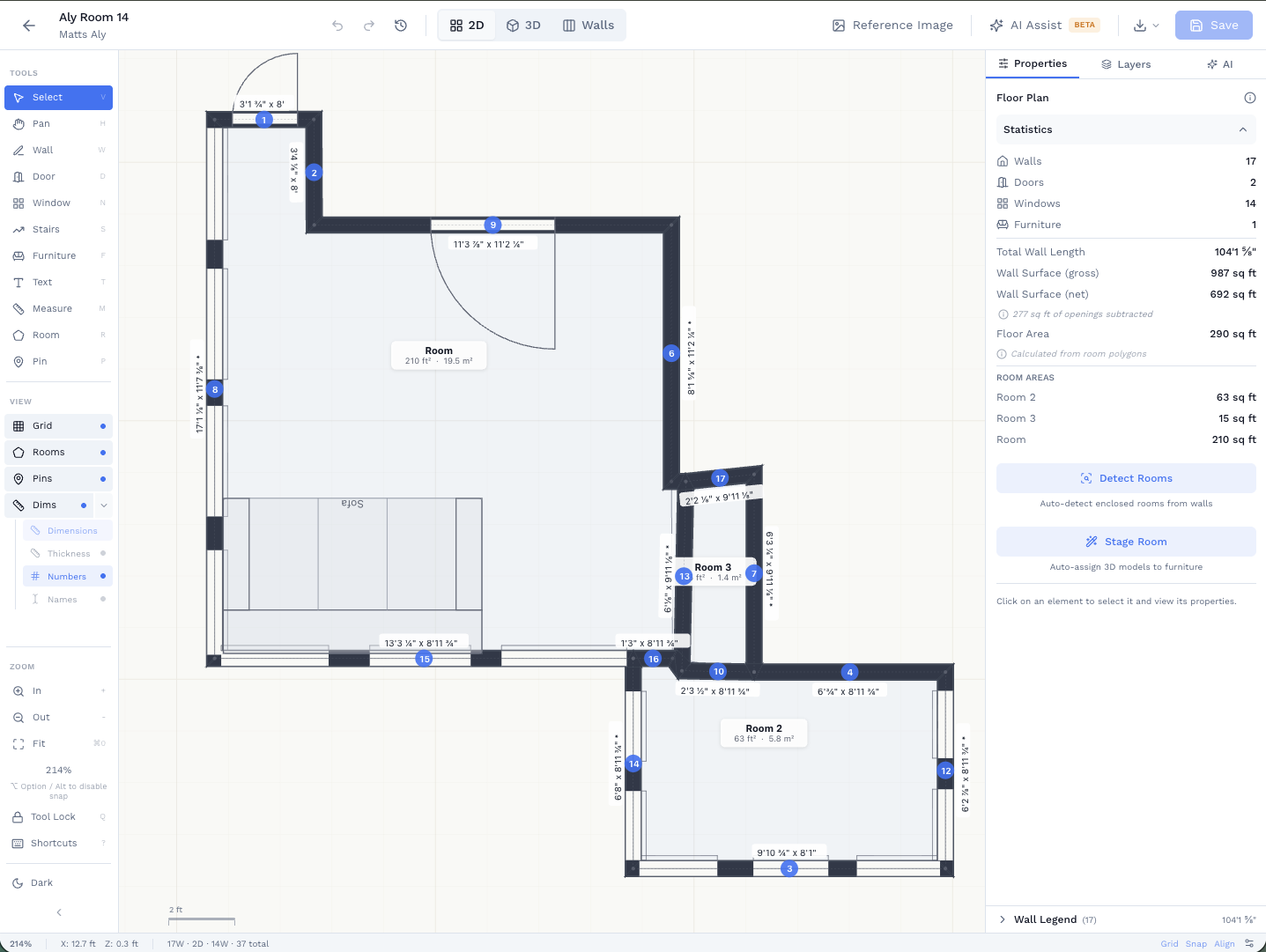
Draw in 2D, walk through in 3D, drop into per-wall elevation to assign materials and read takeoffs. Geometry stays consistent across all three. No re-measuring.
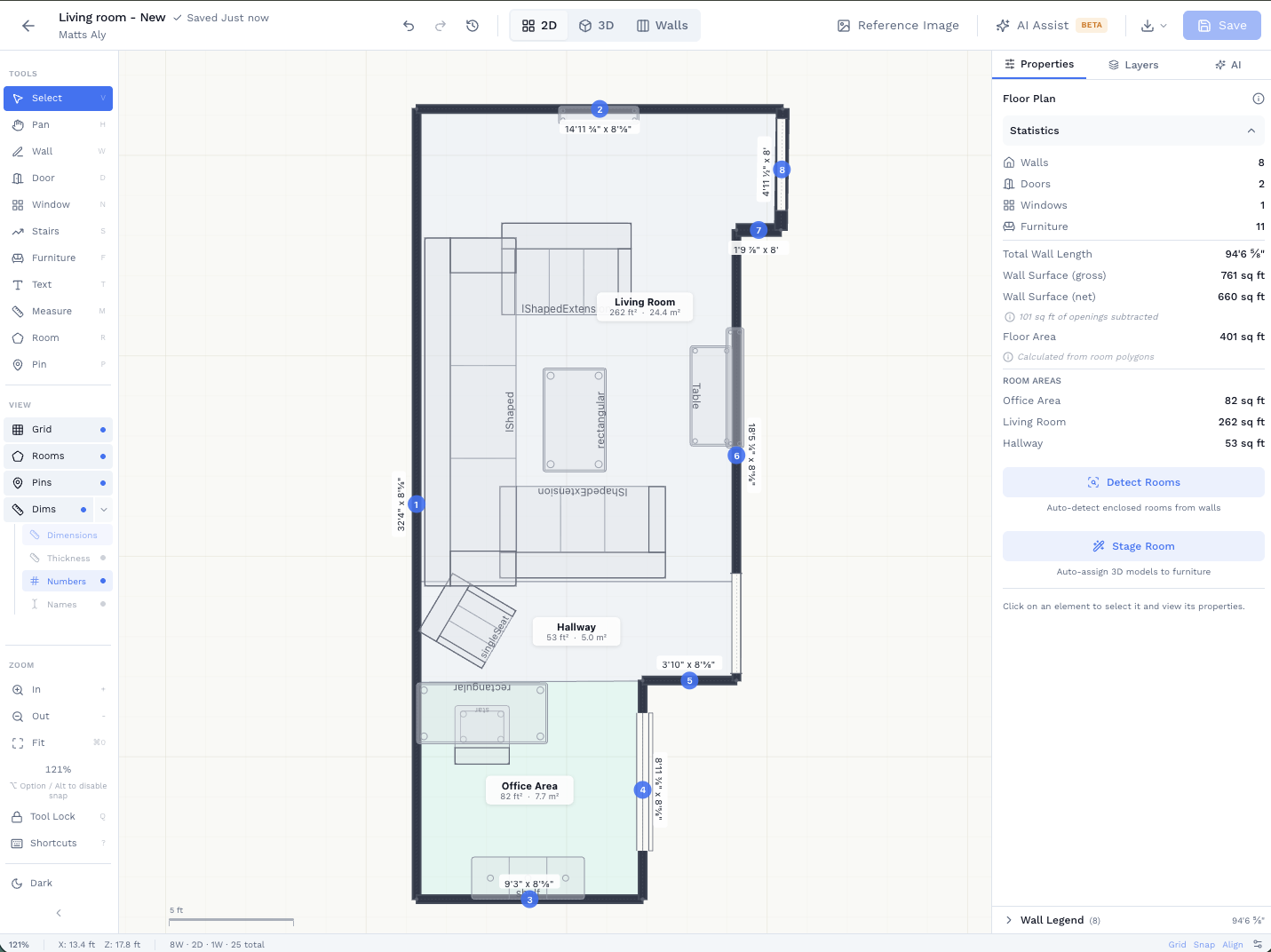
Draw walls, doors, windows. Every dimension captured.
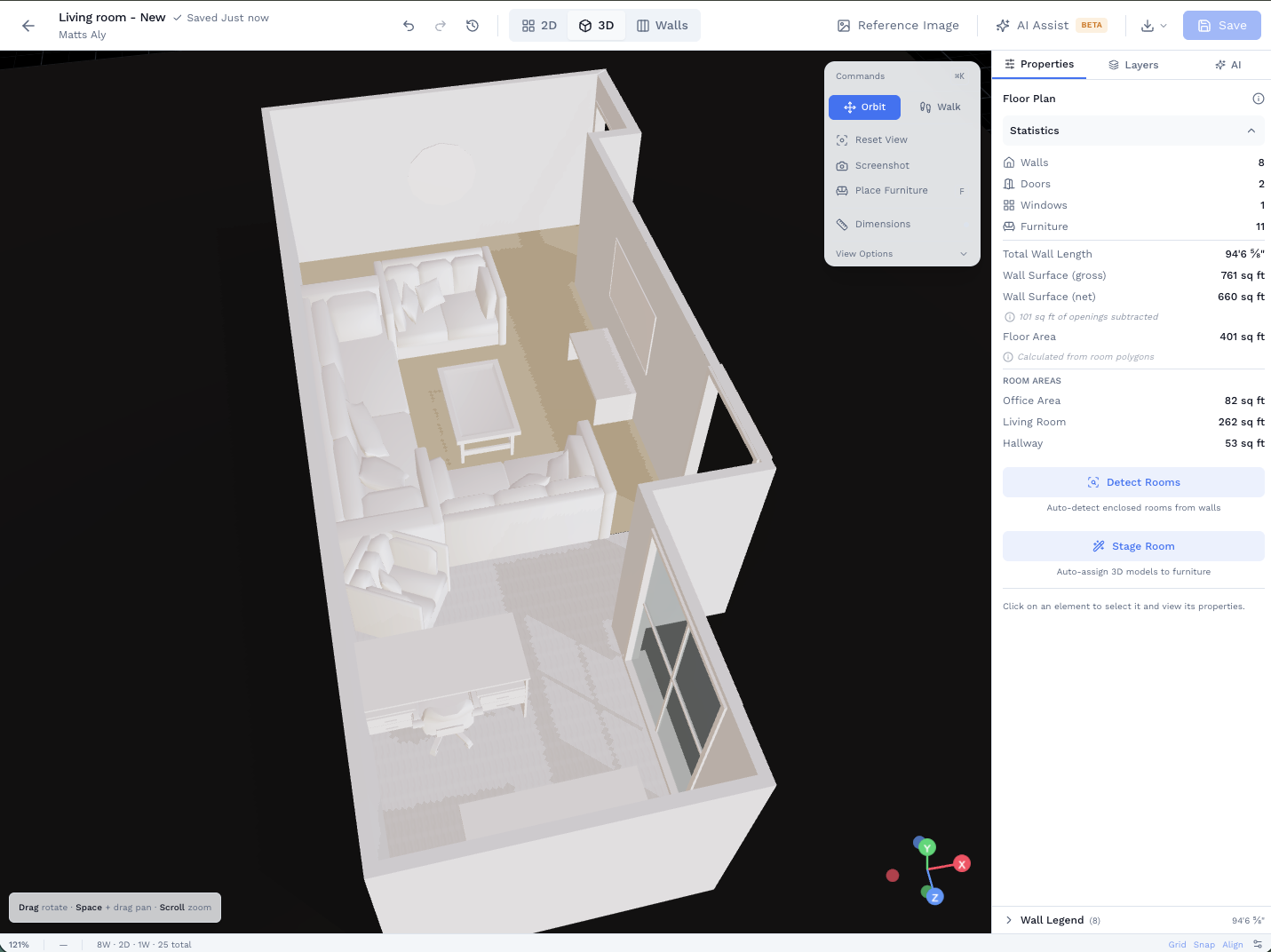
Orbit, walk through, and present to clients in real-time 3D.
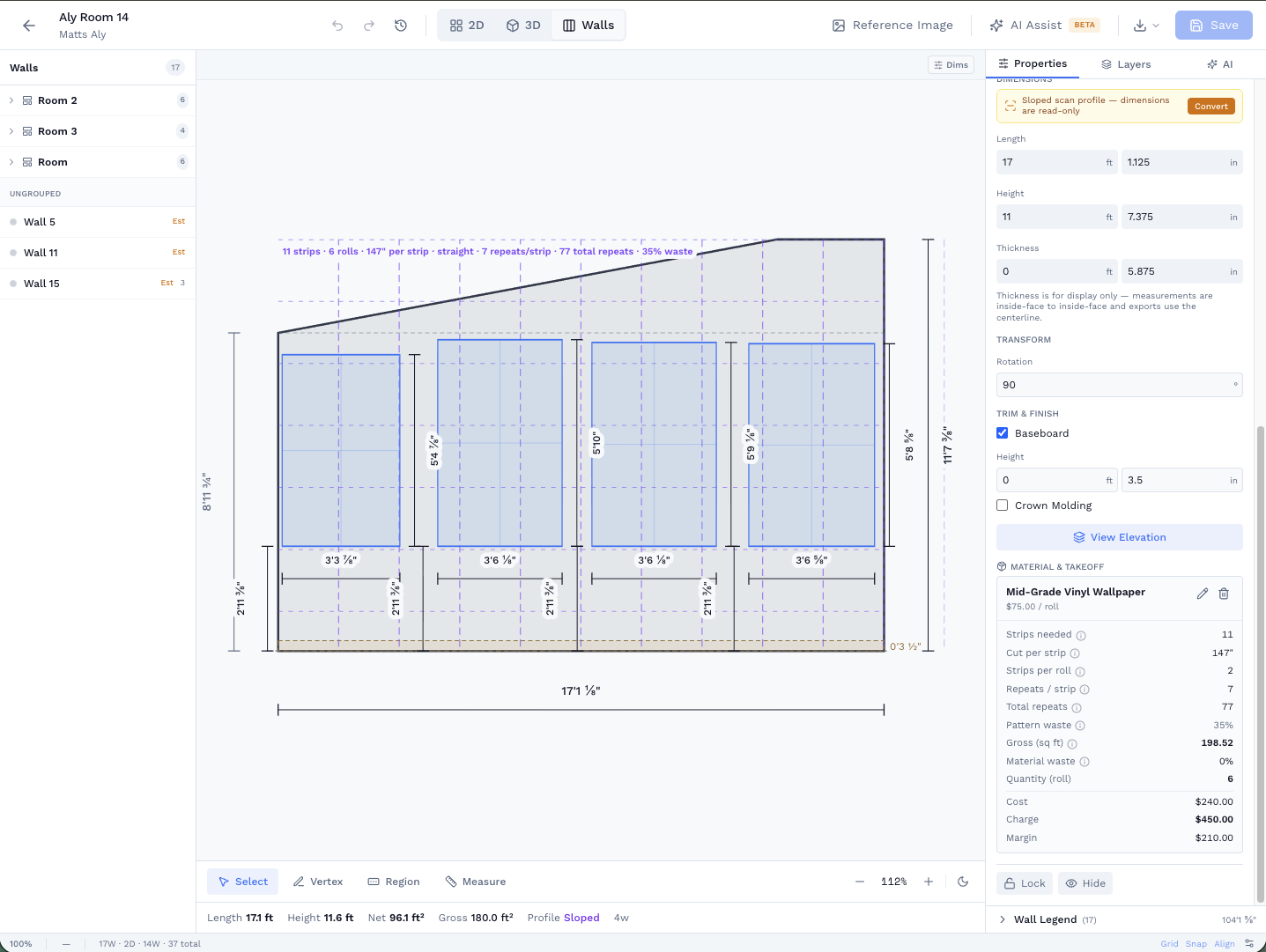
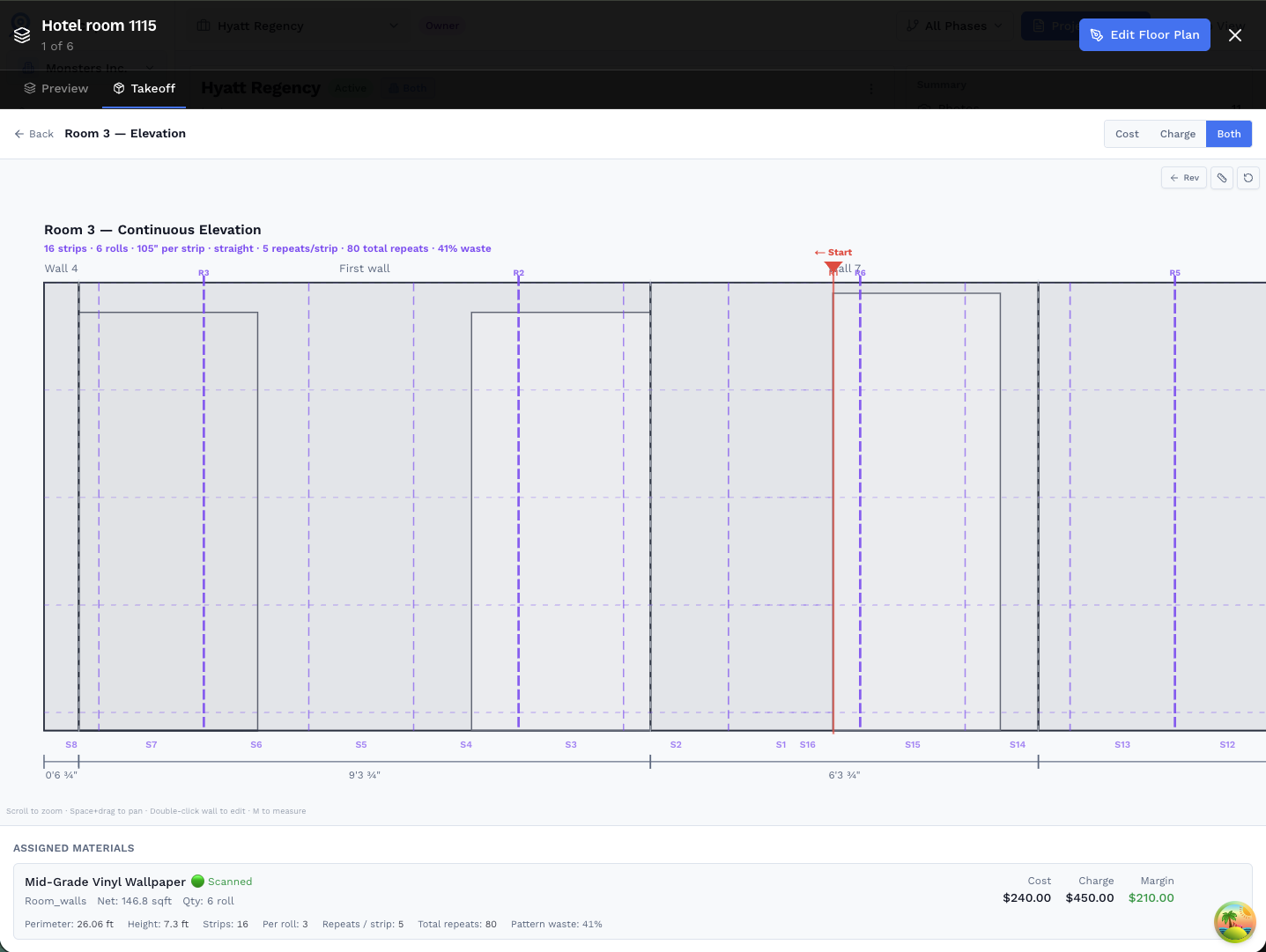
Stand any wall up in elevation, assign materials, read exact quantities.
Generate with AI. Just Describe What You Need
One way to start: type a description in natural language. Our AI understands room layouts, dimensions, and architectural elements, then creates an editable floor plan in seconds.
Describe the space

Type a room layout in plain language, dimensions, room types, whatever you have
AI designs a layout

AI describes what it's building and confirms the element count before creating
Edit in 2D
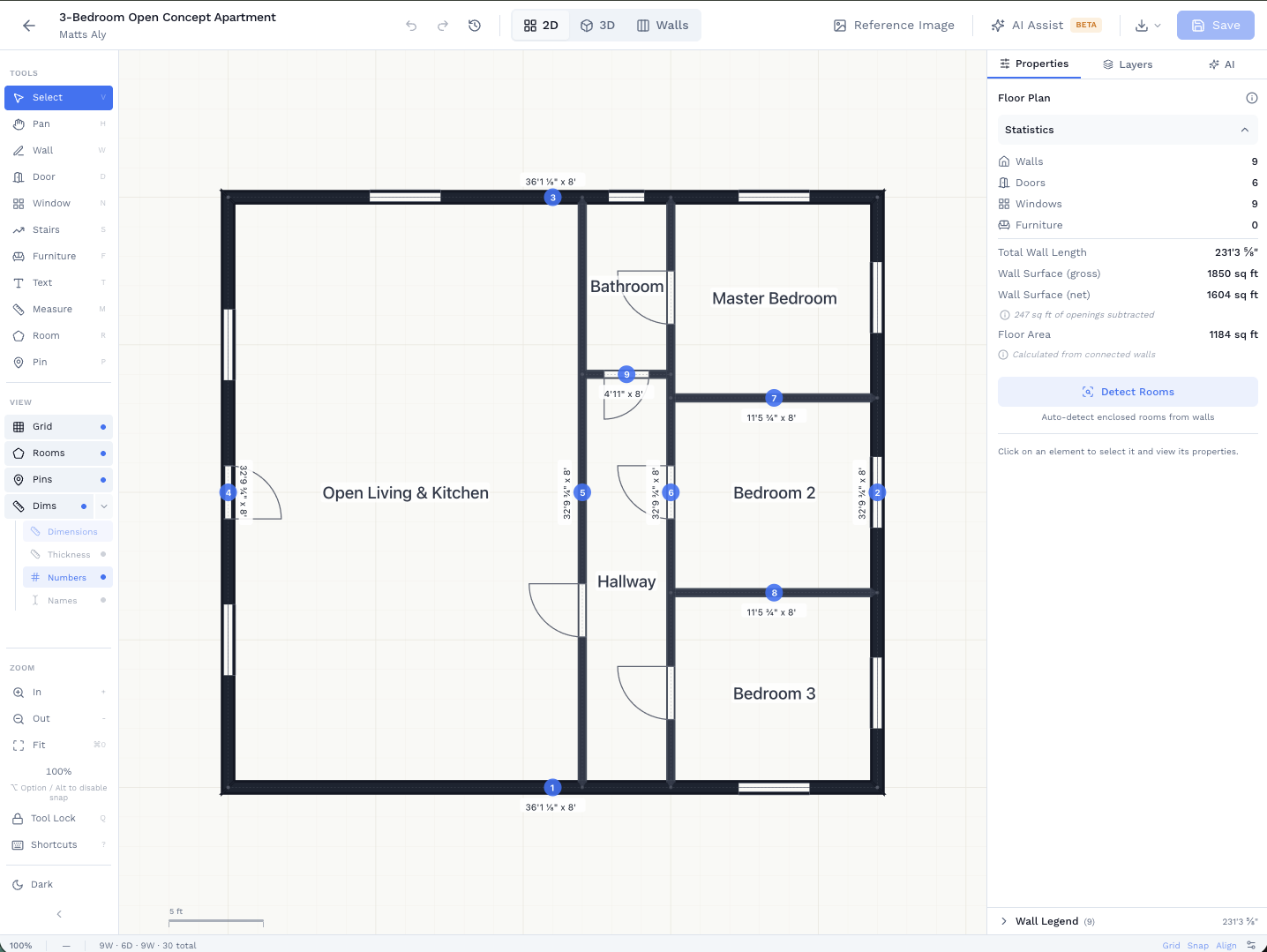
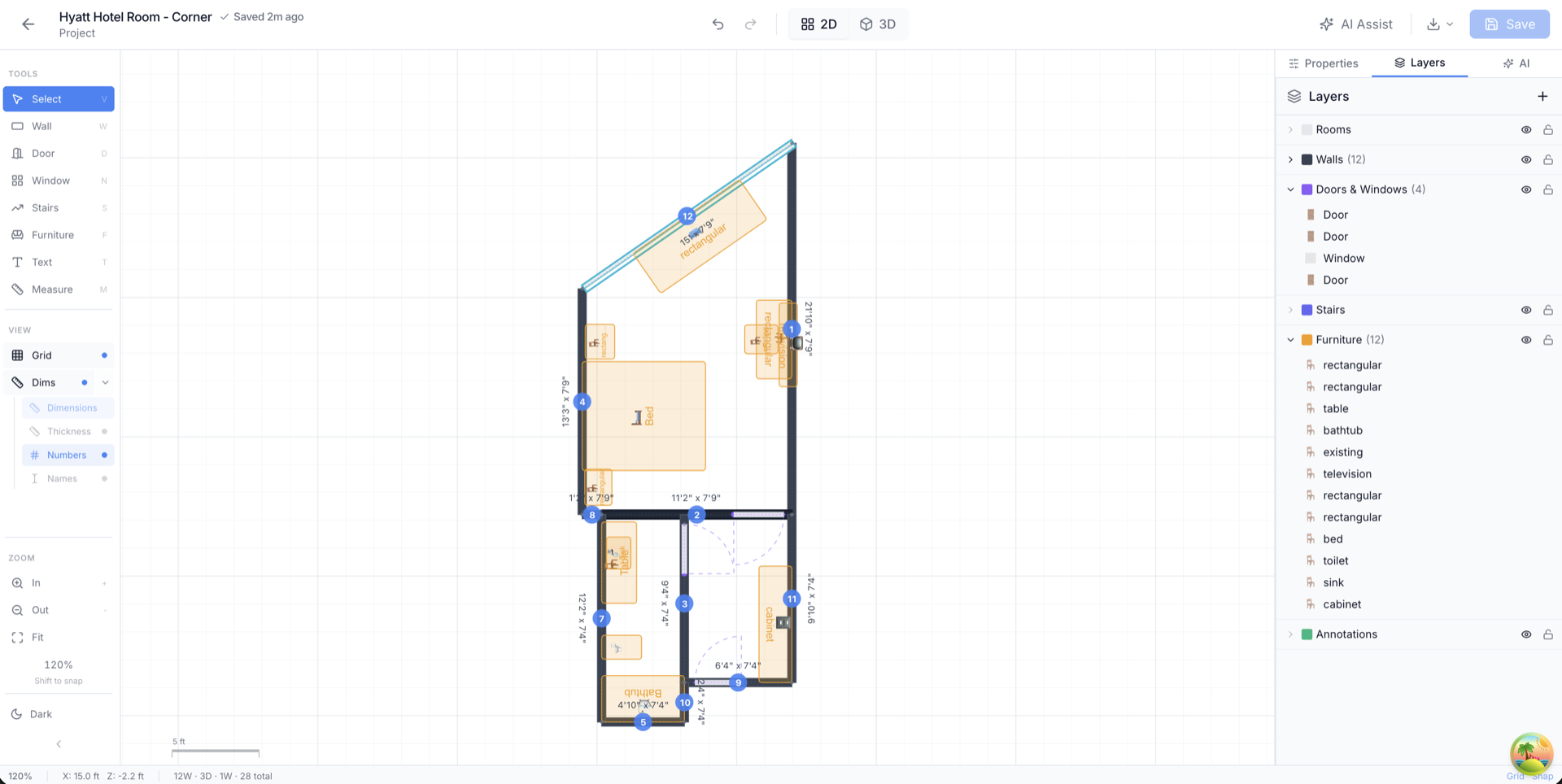
Every wall, door, and window is editable, move, resize, or add rooms
Walk it in 3D
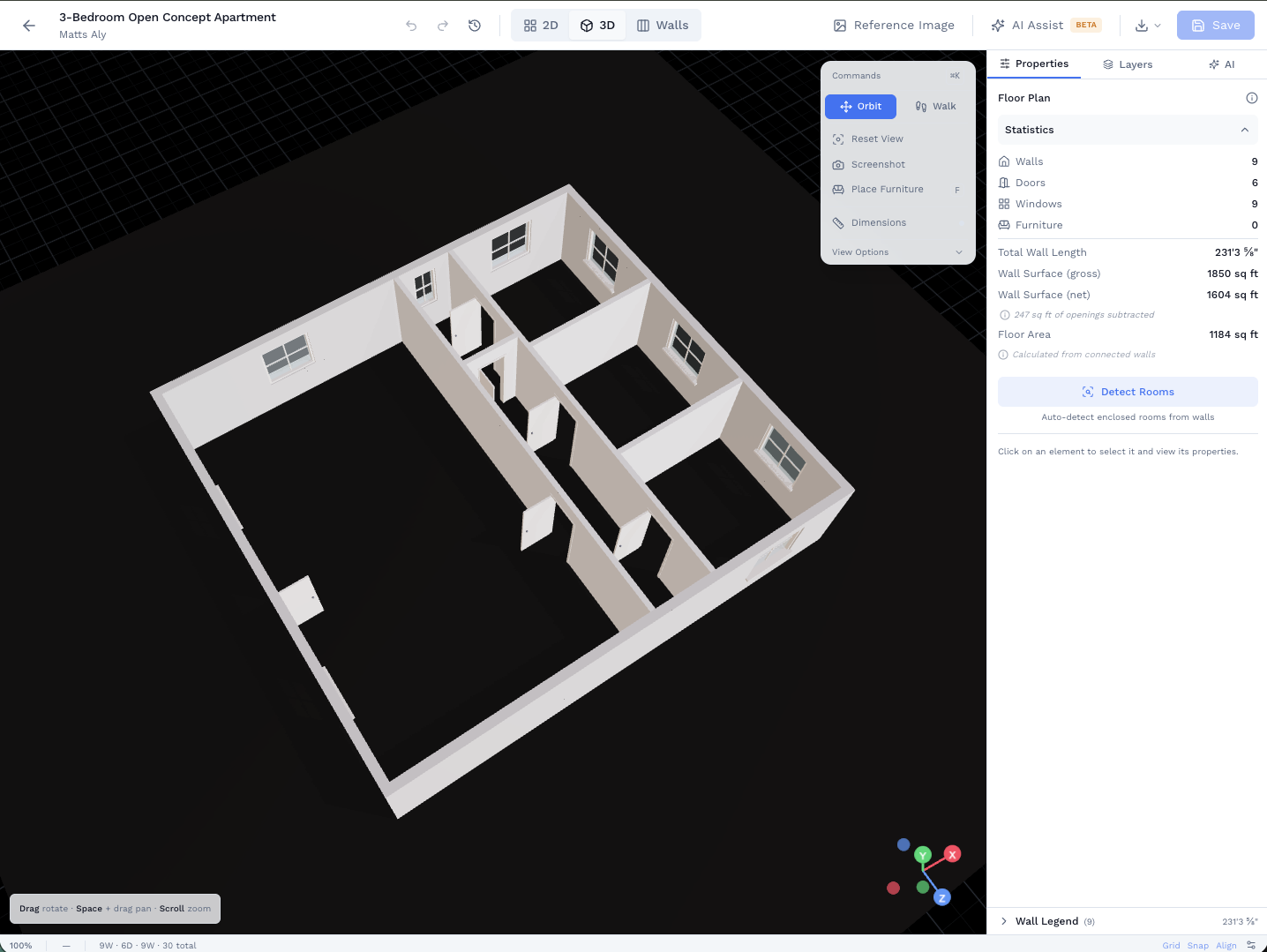
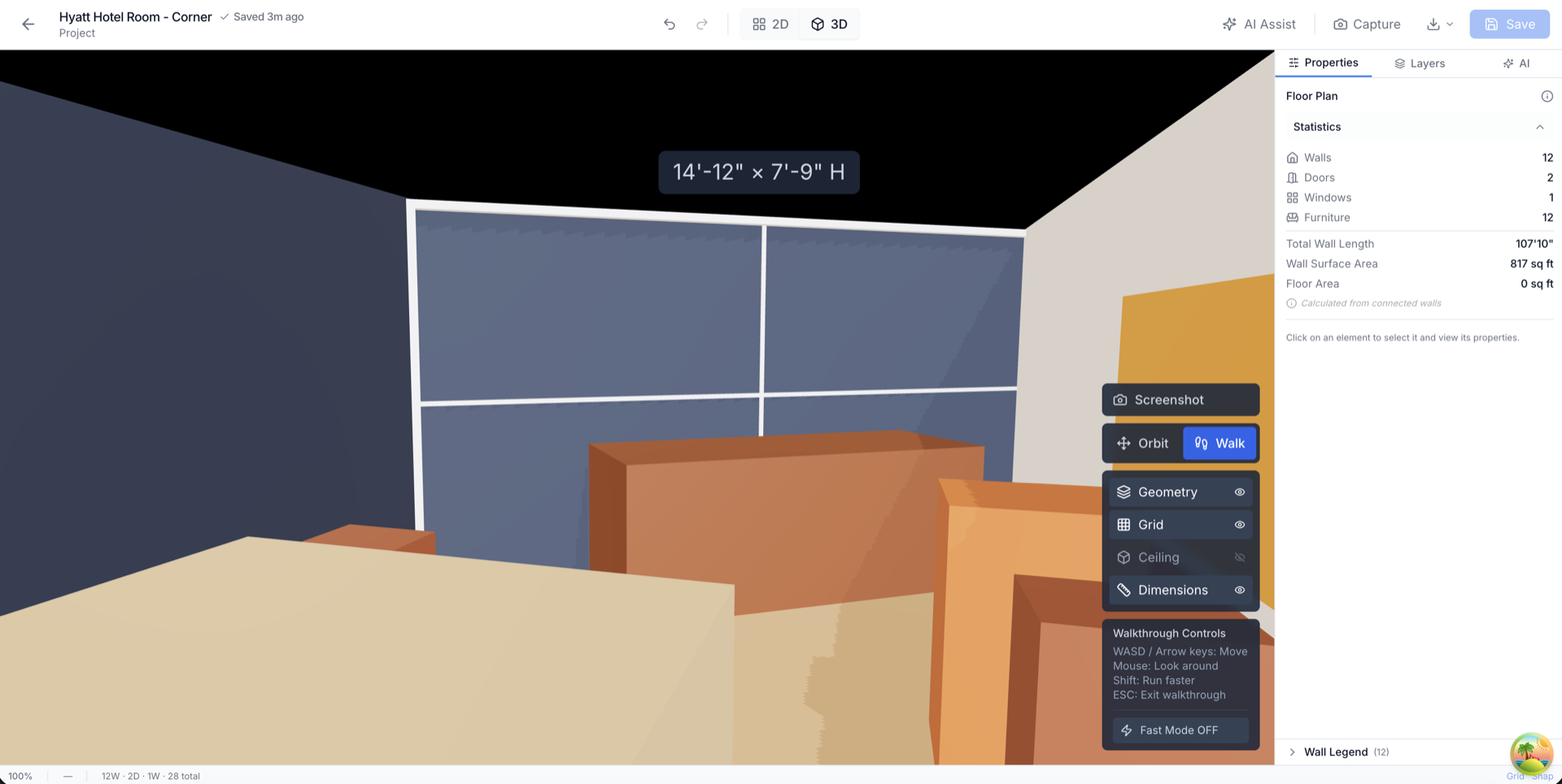
Switch to 3D instantly, same geometry, no re-import, walk through the space
From Concept to Export in 4 Steps
However you start (AI, 3D scan, or existing plan), the workflow is the same
Create or Import
Describe a space for AI to generate, scan a room with LiDAR (iPhone 12 Pro+ or iPad Pro), or upload an existing floor plan.
Edit in Web Builder
Open in our web editor to modify walls, add doors and windows, resize rooms, and adjust the layout to match your vision.
AI-Assisted Refinement
Use AI to make modifications like "add a bathroom here" or "widen this hallway" and watch changes apply instantly.
Preview & Export
Walk through in 3D, inspect in orbit view, then export to PDF, DXF (AutoCAD), or GLB (3D model) for your downstream tools.
Step 3 in action
AI editing, type a change, see it applied
Perfect For
AI floor plans help professionals and homeowners alike
Quick Concepts
Rapidly visualize layout ideas before committing to detailed plans.
Client Presentations
Generate floor plans on the spot during client meetings.
Renovation Planning
Explore "what if" scenarios for home renovations.
Space Optimization
Test different layouts to maximize usable space.
Three Ways to Start, One Powerful Editor
Every path leads to the same web-based floor plan editor
AI Generate
Describe your space in plain English and get a complete floor plan in seconds. No scanning or measuring required.
- Works on any device with a browser
- Great for concepts and client meetings
- No physical space required
3D Room Scan
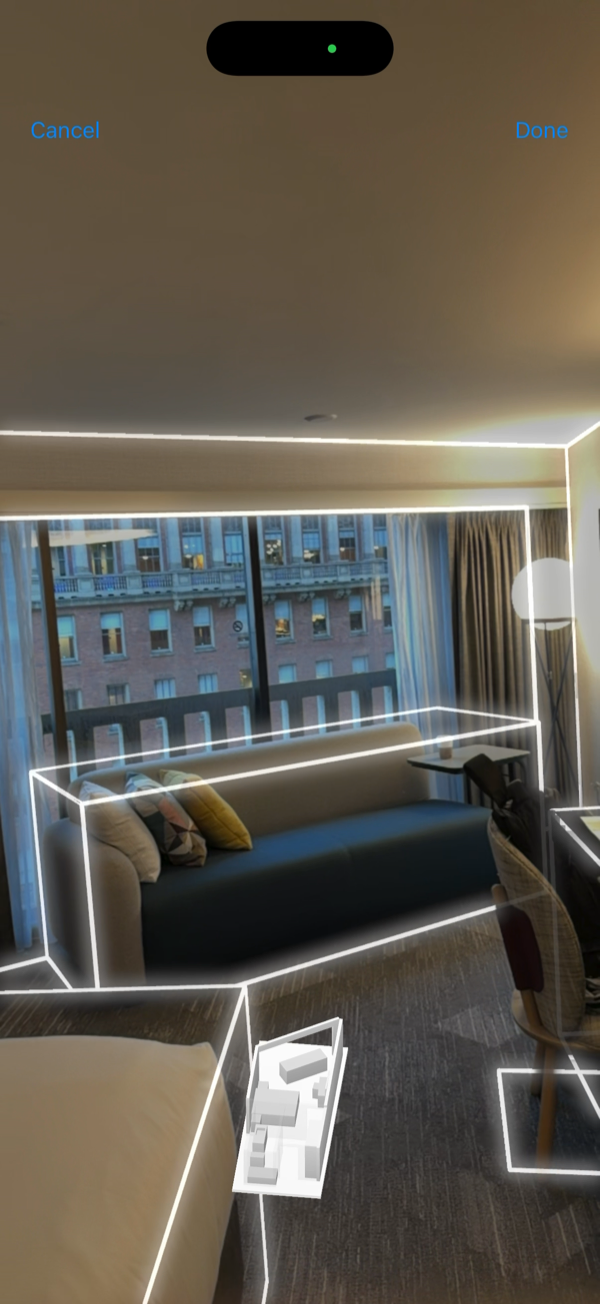
Walk through a room with your iPhone or iPad Pro's LiDAR sensor. Get a precise 3D model and auto-generated 2D floor plan.
- Accurate within 1% (LiDAR)
- Documents existing conditions
- Requires iPhone 12 Pro or later, or iPad Pro (2020 or later)
Existing Plan
Upload any existing floor plan, photo, PDF, or hand sketch, as a reference overlay and trace walls directly over it.
- Scale to real-world dimensions
- Traced walls become full editable geometry
- Works from blueprints, photos, or sketches
Pro tip: Combine approaches! Scan an existing room with LiDAR, then use AI to propose modifications in the web editor.
Already Have a Floor Plan? Bring It In.
Upload any existing floor plan, a photo of a blueprint, a PDF, a hand sketch, and use it as a reference layer while you trace walls in the editor. Your overlay stays pinned and transparent behind your work.
- Any image format: JPG, PNG, or PDF, drop it in as a reference layer
- Scale and align: calibrate to real-world dimensions so traced walls come out accurate
- Trace to editable geometry: walls you draw become full SiteScope walls, Walls tab, takeoffs, 3D preview, exports
- Keep or discard the reference: toggle the overlay on or off, or remove it when you're done tracing
Edit Floor Plans in the Browser
Our web-based floor plan builder gives you full control. Move walls, add rooms, and resize spaces with a visual drag-and-drop interface. Use AI to assist with modifications or do it all manually.
- Drag-and-drop walls: move, extend, or remove walls visually
- Add doors & windows: place openings with precise positioning
- AI-assisted edits: describe changes in plain English and watch them apply
- Dual 3D preview: switch between orbit view and walkthrough to verify your edits
Per-Wall Detail, Not Just a Floor Plan
The Walls tab opens a section view of each wall with precise control over regions, trim elements, and geometry. Every dimension is measured, so what you see in the editor is what feeds into your takeoffs.
Vertex Reshape
Drag wall endpoints to adjust geometry precisely
Region Zones
Split any wall into paint, tile, or wainscot zones
Trim + Measure
Add baseboard and crown; stats bar shows net/gross area
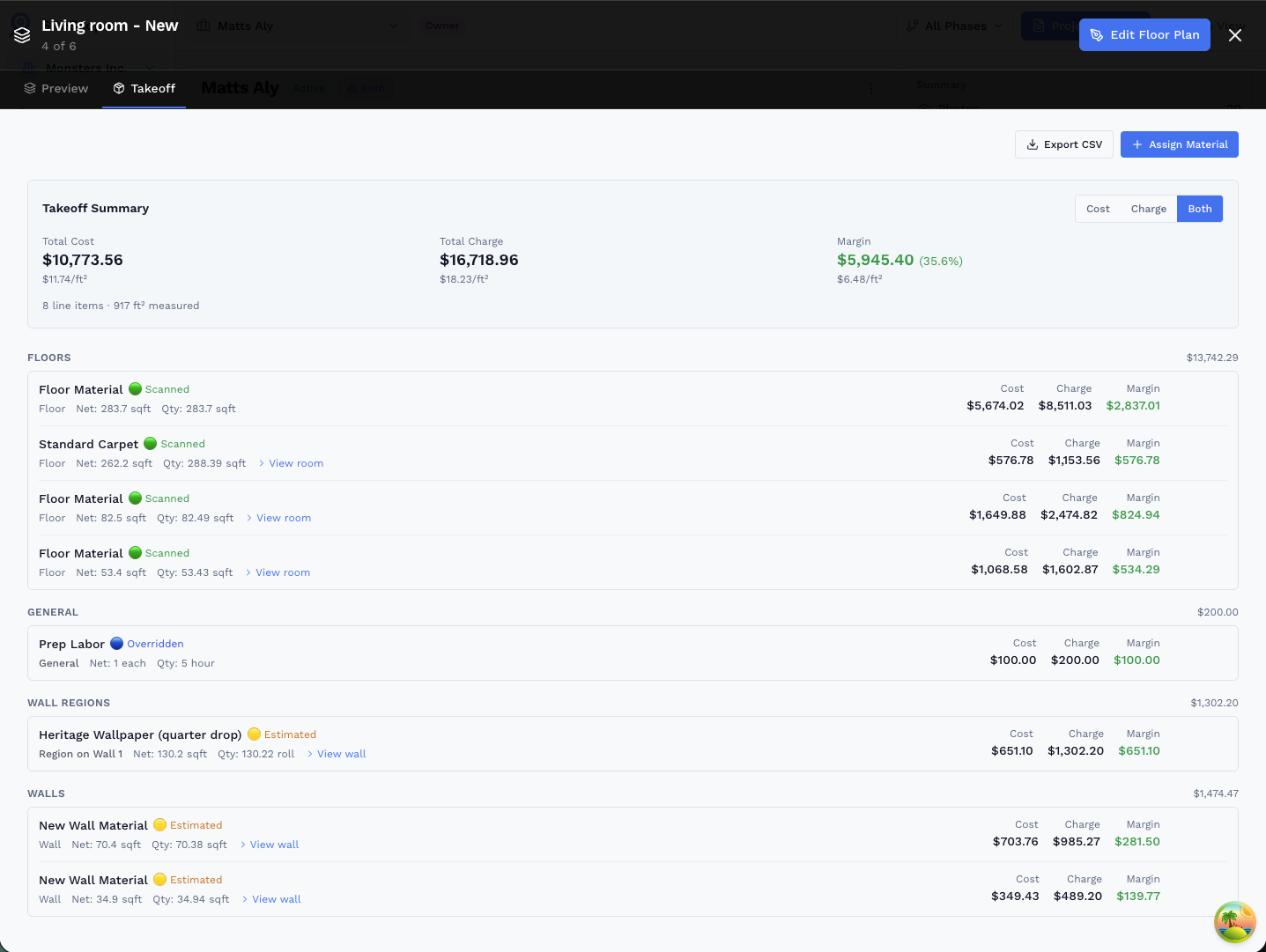
Material Quantities, Straight from the Drawing
Assign a material to any wall or region and the Takeoff tab instantly computes net quantity, with cost, charge, and margin. Opening-aware by default: doors, windows, and region cutouts deduct automatically.
- 🟢 Scanned LiDAR-measured dimensions, highest confidence
- 🟡 Estimated AI-generated or manually drawn geometry
- 🔵 Overridden Quantity manually adjusted for a specific row
Export to CSV for your estimating spreadsheet or bid package, quantities, unit costs, totals, and margins all included.
Export & Integrate with Your Tools
Use SiteScope as your starting point. Export floor plans in the format you need and bring them into the rest of your workflow.
Print-ready floor plans with dimensions for clients and permits
DXF (AutoCAD)
Import directly into AutoCAD, SketchUp, or other CAD software
GLB (3D Model)
Use in Blender, Unity, or any 3D visualization tool
Share Links
Send interactive links so clients can view floor plans in their browser
CSV Takeoff
Export material quantities, unit costs, and margins for your estimating workflow
SiteScope is designed as your starting point. Create and refine floor plans here, then export to whatever system you use for detailed design, rendering, or construction documents.
3D Room Scan
Use your iPhone or iPad Pro's LiDAR to capture any room in stunning 3D detail. Walk around, and we handle the rest.
Generate with AI
Describe your space in plain English and watch AI generate a complete floor plan instantly. No scanning required.
Edit in 2D
Refine walls, add doors, windows, and furniture. Smart snapping ensures precision.
Walk Through in 3D
Step inside your floor plan with first-person 3D navigation. WASD to move, mouse to look.
Export Anywhere
Export to PDF, CAD (DXF), or 3D model (GLB). Share with clients, contractors, or architects.
Ready to Get Started?
Join professionals who are already mapping and measuring their sites with SiteScope.