
Wallpaper Roll Count Per Wall, Pattern Repeat Included
Scan a room, get a floor plan, open the Walls tab, and assign a wallpaper material. Set roll width, roll length, and pattern repeat match type once in your materials catalog. SiteScope calculates roll count per wall with repeat waste factored in. No tape measure, no spreadsheet.
Challenges We Solve for Wallpaper Contractors
Pattern-Match Waste
Ordering wrong quantities means pattern-mismatch mid-wall or costly leftover rolls. Precise per-wall measurement eliminates guesswork.
Pattern Repeat Miscalculated
Calculating repeat waste by hand, strip by strip and match type by match type, is where most estimating errors happen. SiteScope factors straight, half-drop, and quarter-drop repeats into every wall automatically.
Designer–Installer Handoff Friction
Designers specify wallpaper, installers buy it, and they're working from different numbers. A shared takeoff CSV closes that gap.
Features Built for Wallpaper Work
Per-Wall LiDAR Scan*
Scan a room and get every wall's exact dimensions, length, height, net area, automatically. Learn more →
Region-Aware Cutouts
Mark wainscoting, feature walls, or any partial-wall zone as a separate region, each gets its own takeoff line with openings already deducted.
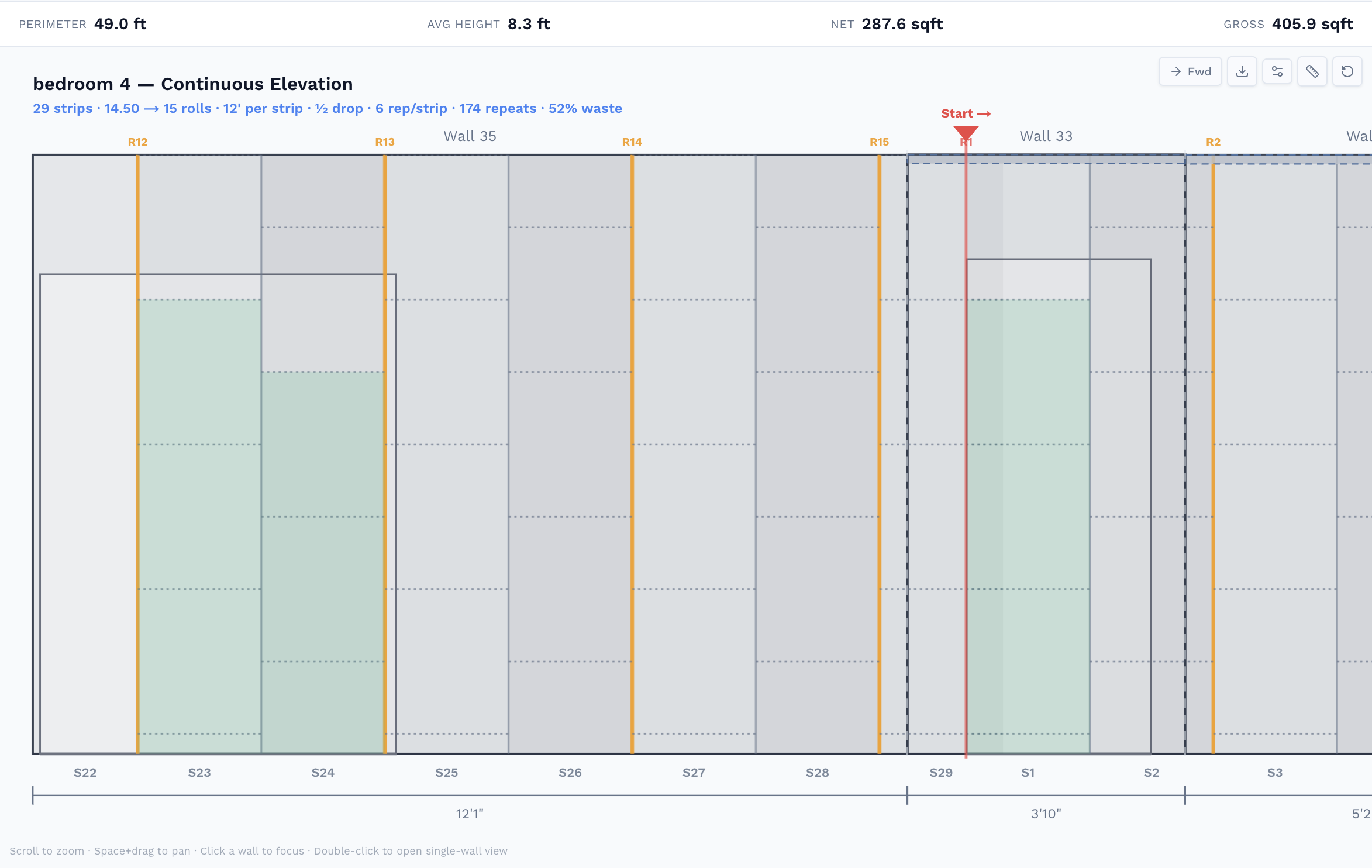
Walls Tab Elevation View
Stand each wall up in a flat elevation, see the exact shape, regions, and openings you're papering before you assign a single roll.
CSV Takeoff with Roll Count
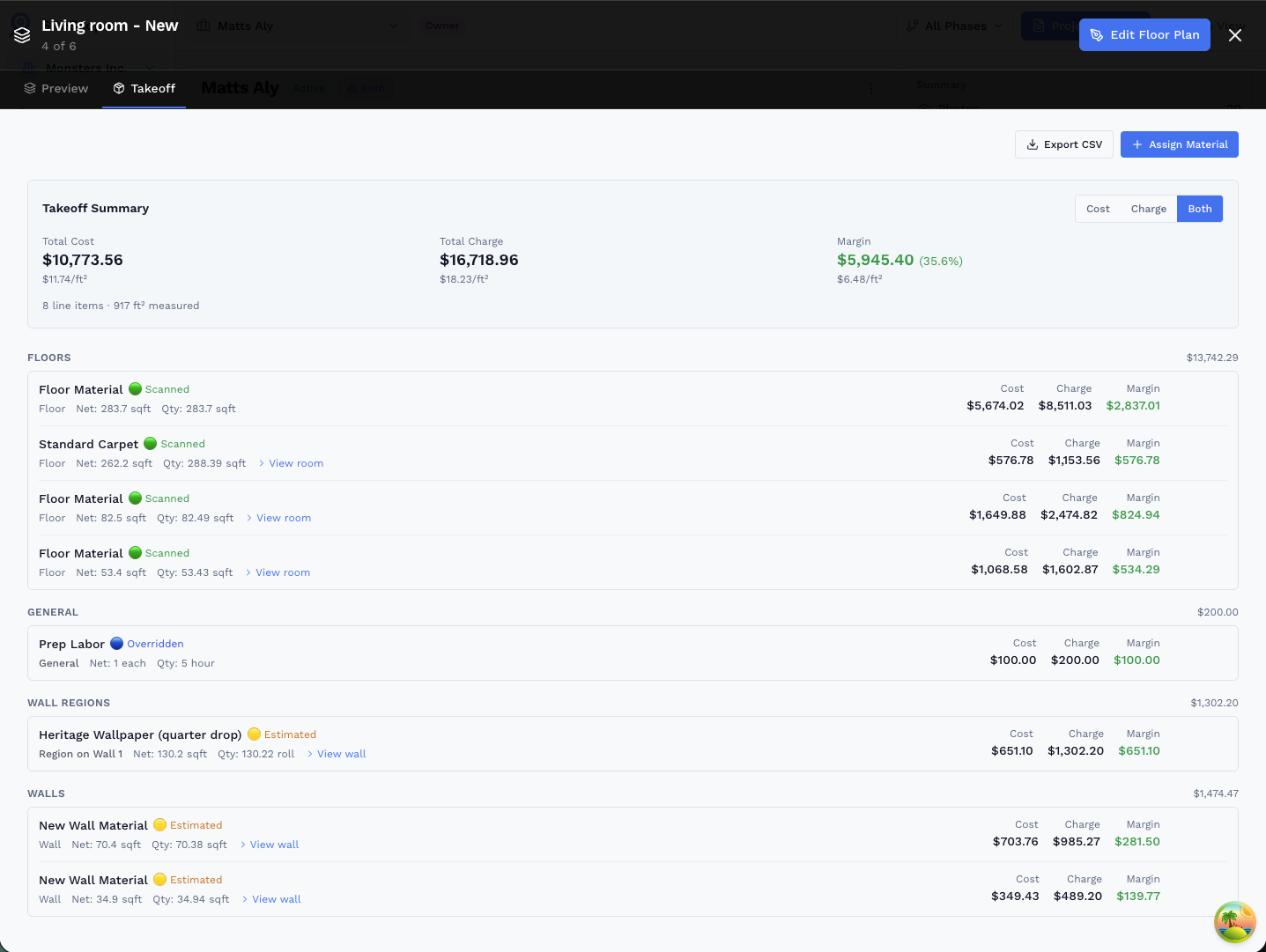
Export a line-item summary, sqft per wall, roll count, cost, charge, and margin, ready to paste into your proposal or send to the installer.
* 3D room scanning requires iPhone 12 Pro or later, or iPad Pro (2020 or later) with LiDAR sensor
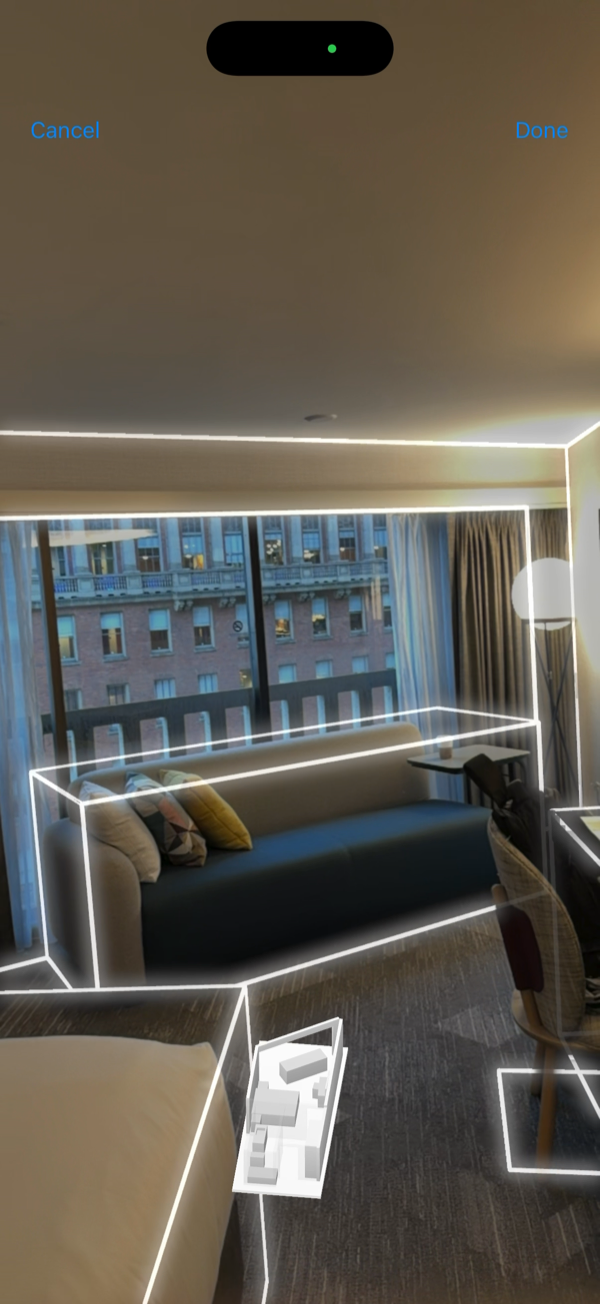
Measurements Start with a 3D Scan
Walk through any room with your iPhone or iPad Pro's LiDAR sensor and a floor plan generates automatically, capturing every wall's exact length and height in minutes. Those dimensions drive every roll count calculation.
See how 3D scanning worksEnter Roll Specs Once, SiteScope Handles the Math
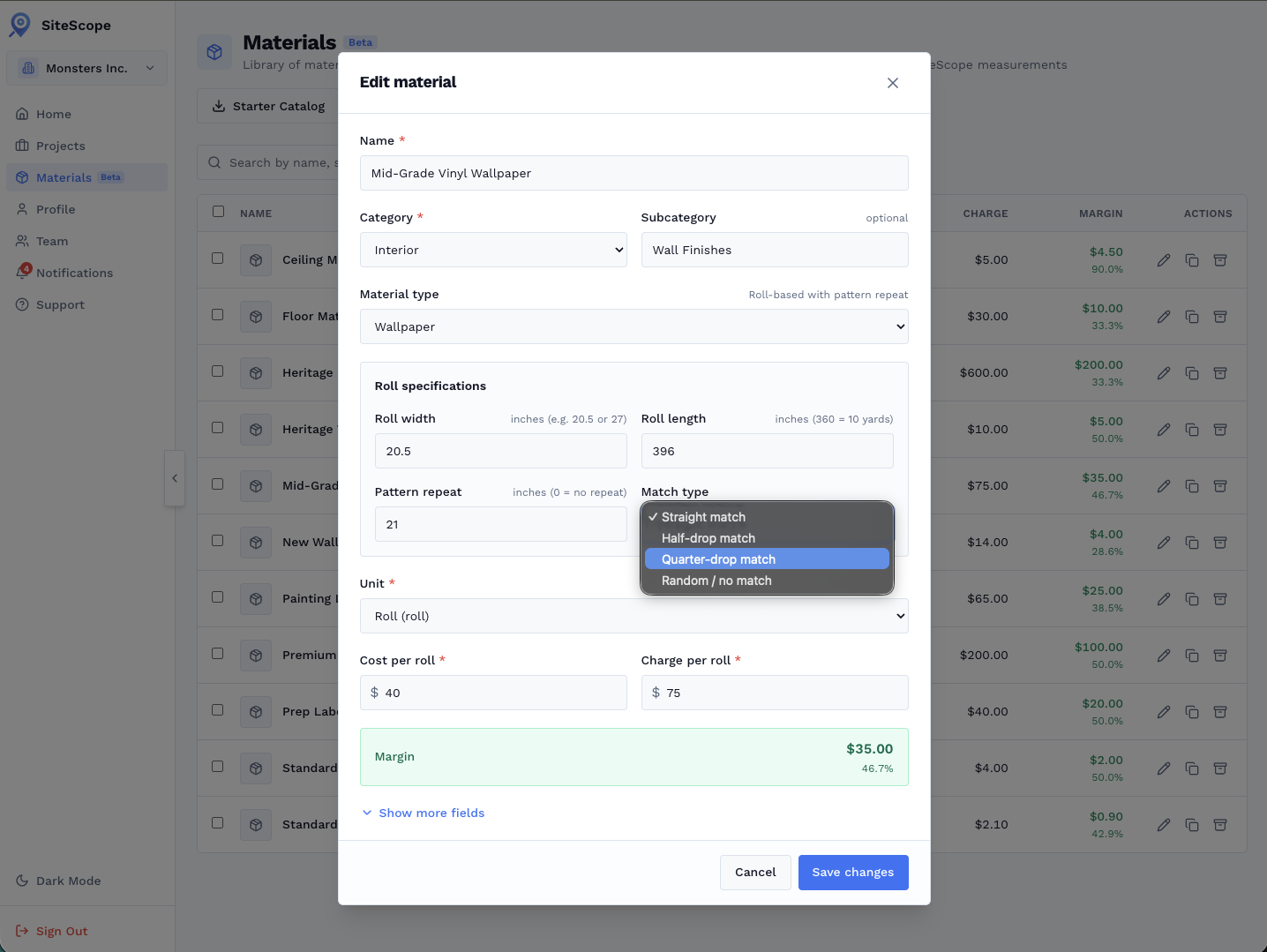
Set roll width, roll length, and pattern repeat in the material catalog. Pick a match type (straight, half-drop, quarter-drop) and SiteScope factors the repeat waste into every wall automatically.
- Roll width + length drive the coverage calculation
- Pattern repeat waste added per wall based on match type
- Cost and charge per roll, margin calculated live
- Reuse across rooms and projects, set up once
From Scan to Roll Count in One Visit
Here's how wallpaper contractors and designers use SiteScope to bid the same day they walk the site:
- 1 Scan each room, floor plan is auto-generated with every wall dimension
- 2 Open the Walls tab, select a wall, view its elevation, see exact shape and openings
- 3 Assign wallpaper material. Roll count and pattern repeat waste calculated per wall
- 4 Export roll count + sqft to CSV, send to supplier or drop into your proposal
Roll Count, Not Guesswork.
Set your roll specs once: roll width, roll length, and pattern repeat. SiteScope calculates exactly how many rolls each wall needs.
- Pattern repeat built in: choose straight, half-drop, or quarter-drop match type and the repeat waste is factored into every wall's roll count automatically.
- Wall-by-wall elevation view: stand each wall up flat in the Walls tab to see its exact dimensions before you assign a material.
- Region support for wainscoting & feature walls: assign different wallpaper to lower and upper halves of the same wall. Each region gets its own roll count and line item.
- Export wall dimensions, roll count, cost, and margin to CSV and drop it straight into your order form or client proposal.
Related Use Cases
See how other professionals use SiteScope
Frequently Asked Questions
How many rolls of wallpaper do I need?
How does pattern repeat affect how much wallpaper to buy?
Does SiteScope deduct doors and windows from the takeoff?
What is a wallpaper cut sheet?
Do I need an iPhone to use SiteScope for wallpaper?
Ready to Get Started?
Join professionals who are already mapping and measuring their sites with SiteScope.