
Know Your Paint Quantities Before You Bid
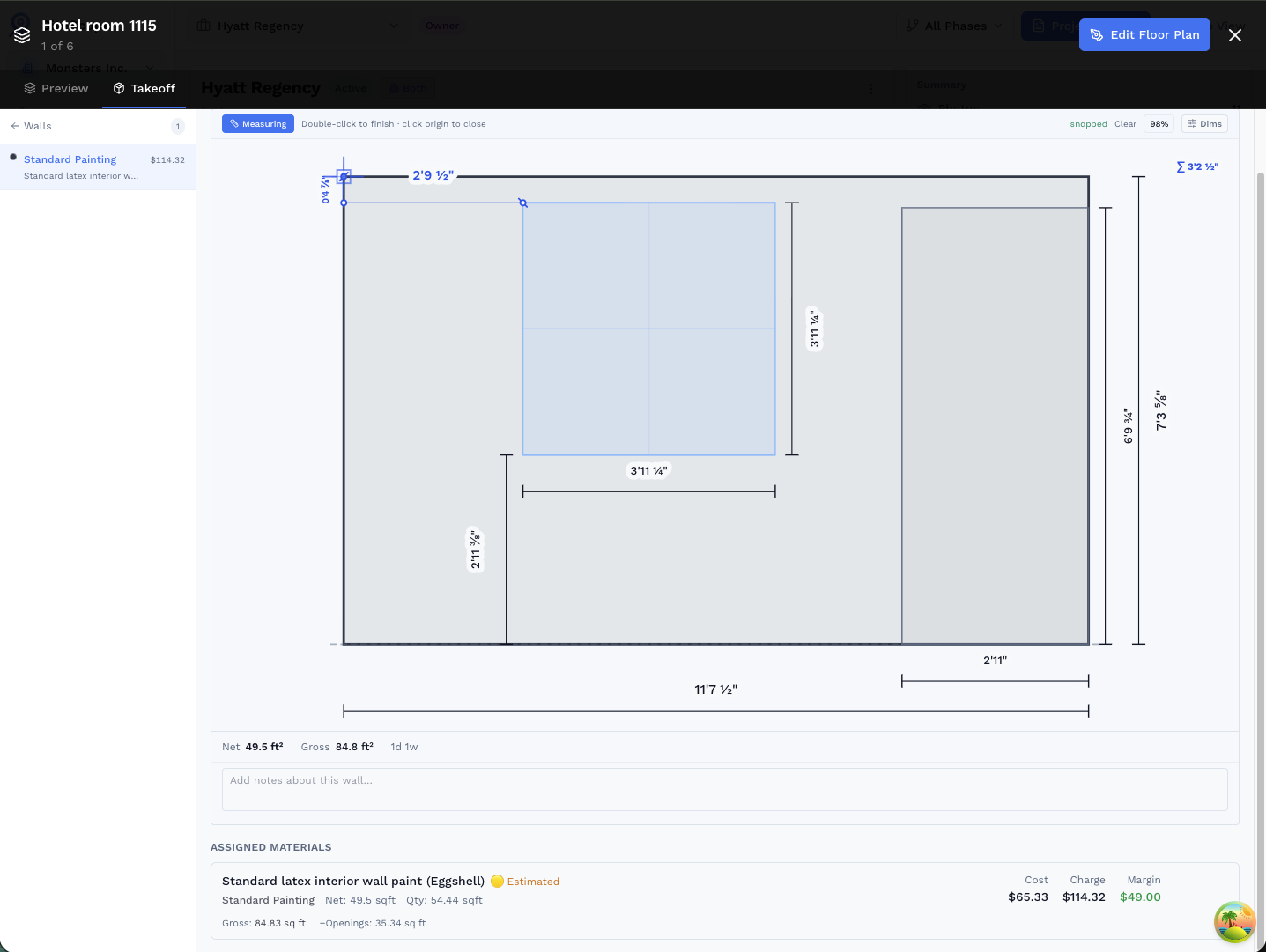
Scan a room, get a floor plan, and generate a full material takeoff, gallons by wall, with doors and windows already deducted. No tape measure, no spreadsheet.
Challenges We Solve for Painting Contractors
Tedious Manual Measurement
Stop measuring every wall by hand. 3D scanning captures all room dimensions in minutes, including ceiling heights.
Inaccurate Estimates
Underbid and lose money, or overbid and lose the job. Get precise square footage for accurate, competitive pricing.
Tracking Color Specifications
Keep track of colors and finishes for each room. Photo markup helps you document exactly where each color goes.
Features Built for Painting Contractors
3D Scan for Wall Area Calculation*
Scan a room and get total wall square footage automatically. Includes ceiling heights and accounts for windows and doors. Learn more →
Room-by-Room Documentation
Organize your project by room. Track which rooms need what colors, finishes, and prep work.
Photo Markup for Color Specs
Take photos and annotate with color names, sheen levels, and special instructions. Never mix up specifications again.
Professional Estimates & Reports
Generate PDF reports with measurements, photos, and your branding. Show clients exactly what they're paying for.
* 3D room scanning requires iPhone 12 Pro or later, or iPad Pro (2020 or later) with LiDAR sensor
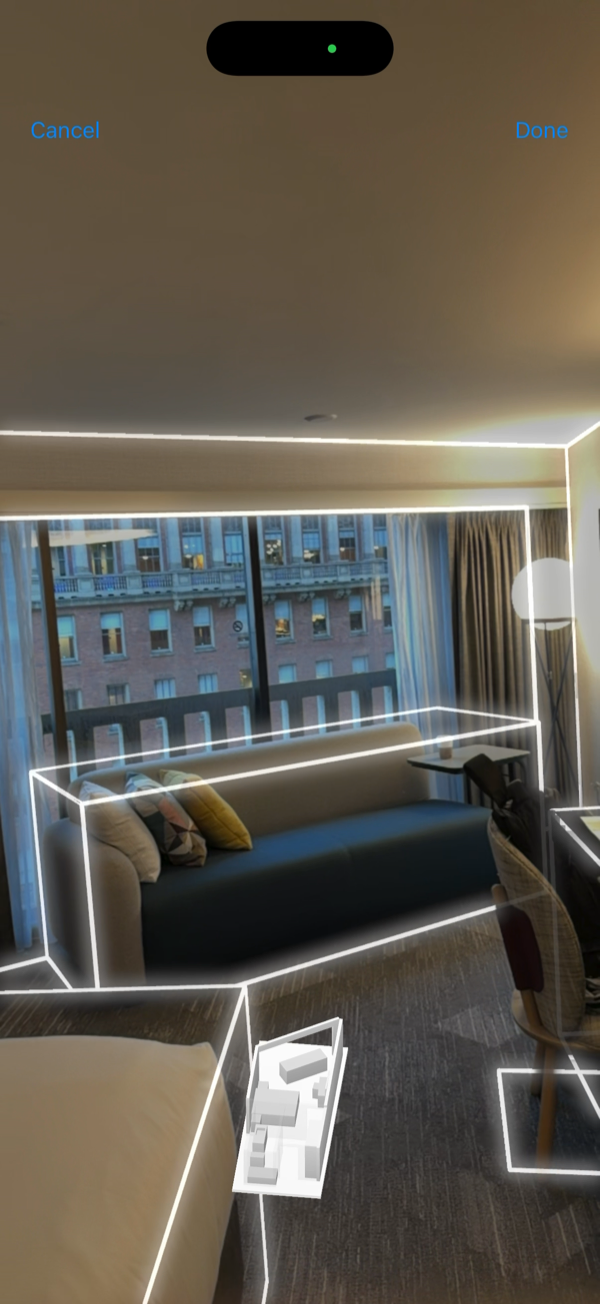
Measurements Start with a 3D Scan
Walk through any room with your iPhone or iPad Pro's LiDAR sensor and a floor plan generates automatically, capturing every wall length, height, and opening in minutes. No tape measure, no re-measuring.
See how 3D scanning worksFrom Scan to Takeoff in One Visit
How painters use SiteScope to price jobs the same day they walk the site.

Scan On Site
Scan each room with LiDAR. Floor plan auto-generates with every wall dimension and ceiling height.
Assign & Calculate
Assign paint to walls in the Walls tab. Openings deducted, gallons calculated, cost and margin filled in automatically.

Quote & Close
Export quantities to CSV or share a 3D quote link. Client gets a professional estimate with cost, charge, and margin. Same day, while the lead is still warm.
Build Your Catalog Once, Bid Faster Every Time
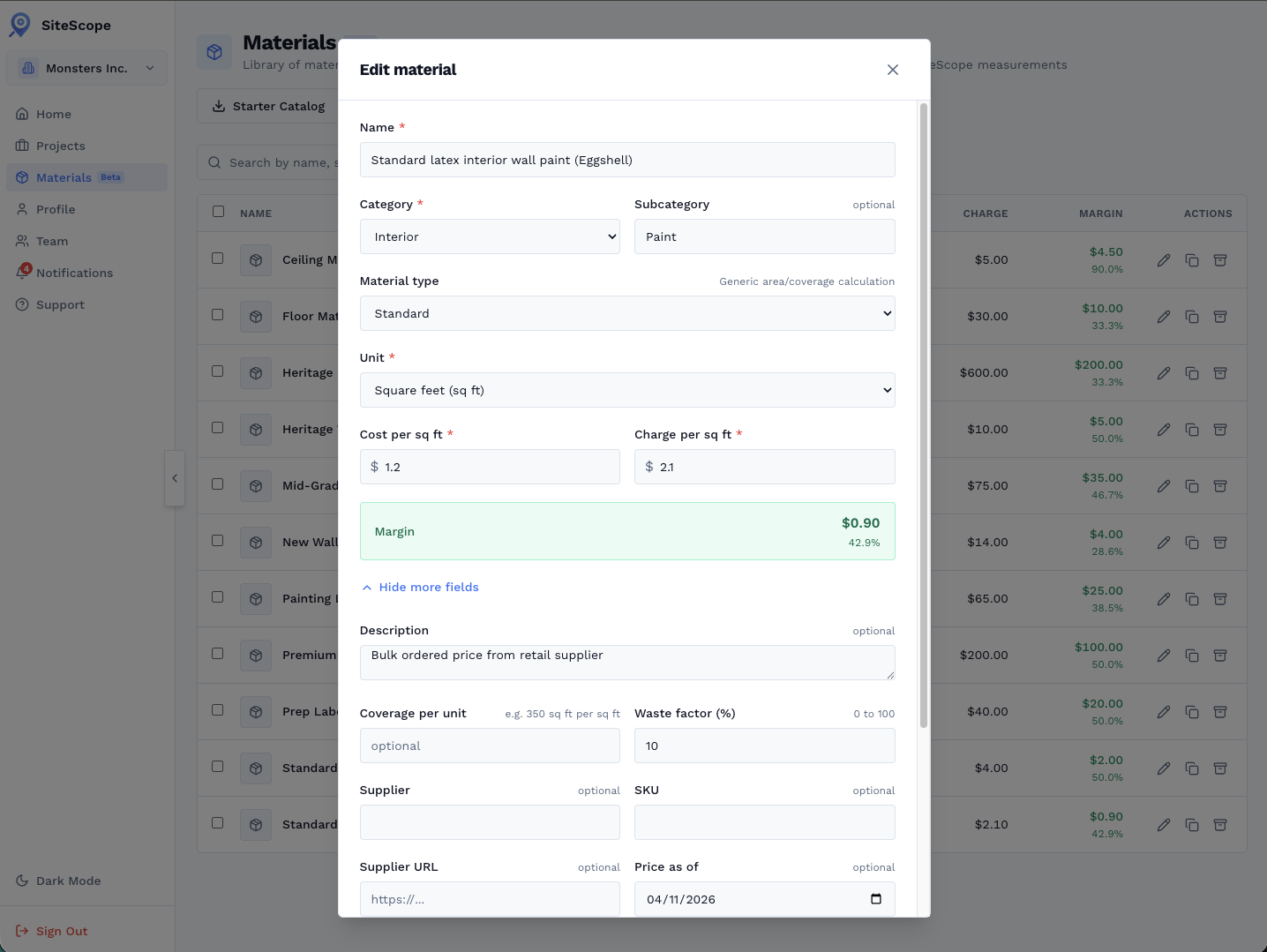
Add your paint products to the Materials Library with your real cost, charge, and margin. SiteScope calculates quantities wall by wall, you see exactly what each job costs and what you'll charge before you leave the site.
- Set cost per sq ft and charge per sq ft, margin shown live
- Waste factor (%) added automatically to coverage calc
- Category and subcategory keep interior paint organized
- Supplier, SKU, and price-as-of date for order tracking
Paint Quantities, Not Guesswork.
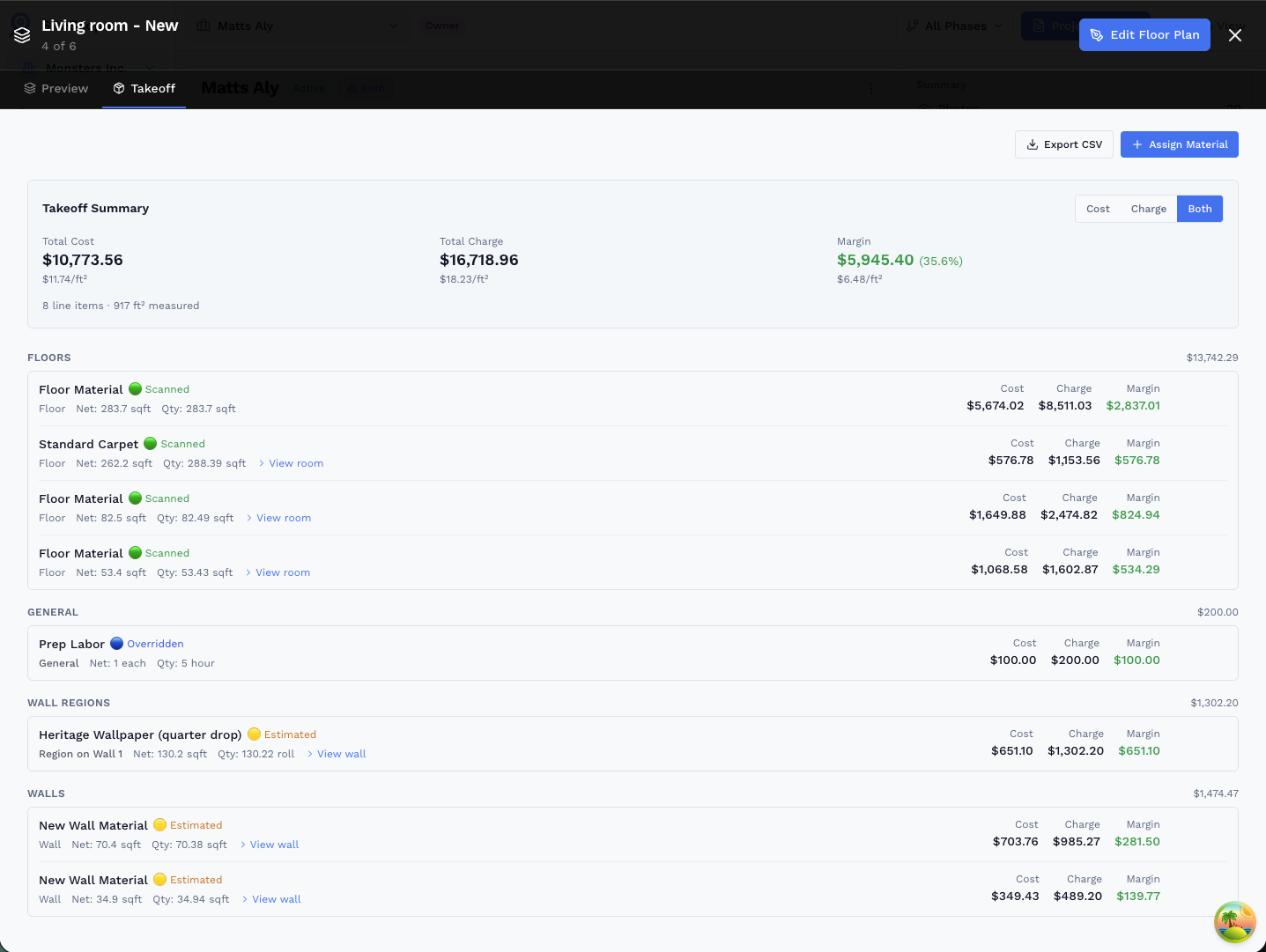
SiteScope computes net paintable area wall by wall, openings deducted, regions broken out, ready to price.
- Openings deducted automatically: doors, windows, and any cutout regions are subtracted from gross wall area before quantities are computed.
- Room-by-room breakdown: assign a paint material to an entire room or individual walls, ideal when ceiling color differs from trim or accent walls.
- Scanned vs. estimated clarity: LiDAR-measured walls are flagged Scanned (green) so you can see exactly how much of your bid is based on measured geometry.
- Export quantities to CSV and drop them straight into your estimating spreadsheet or proposal template.
Related Use Cases
See how other professionals use SiteScope
Frequently Asked Questions
How much paint do I need for a room?
How many coats should I plan for?
Does the takeoff deduct doors and windows?
Does SiteScope account for surface texture?
Can I send the client a quote the same day?
Ready to Get Started?
Join professionals who are already mapping and measuring their sites with SiteScope.