
Layout Accuracy + Real Quantities. From the Same Drawing.
From framing to finish, SiteScope helps drywall contractors, carpenters, and interior tradespeople measure accurately, run material takeoffs from their floor plans, and document everything professionally.
Challenges We Solve for Interior Contractors
Layout Accuracy Issues
Out-of-square rooms cause problems downstream. Get accurate 3D measurements to plan layouts correctly the first time.
Material Quantity Miscalculations
Order too little and delay the job. Order too much and waste money. Get exact measurements for accurate material takeoffs.
Multi-Trade Coordination
Share floor plans and issue tracking across trades. Everyone works from the same documentation.
Features Built for Interior Trades
3D Floor Plans for Layout Planning*
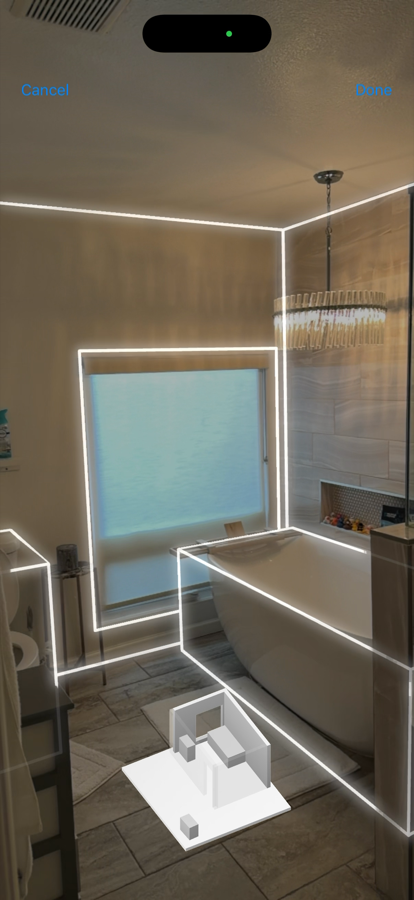
Scan existing conditions and get accurate floor plans. Plan framing layouts, drywall runs, and finish details with confidence. Learn more →
Precise Room Dimensions
Wall lengths, ceiling heights, and angles are all captured accurately. Calculate material quantities with confidence.
Multi-Issue Tracking Per Room
Track defects, punch list items, and notes for each room. Photo documentation keeps everyone accountable.
Team Collaboration
Share projects across your crew and with other trades. Everyone sees the same floor plans and issue lists.
* 3D room scanning requires iPhone 12 Pro or later, or iPad Pro (2020 or later) with LiDAR sensor
Built for Interior Trade Professionals
Whether you're hanging drywall or installing trim, SiteScope adapts to your workflow
Drywall Contractors
- Calculate board footage from floor plans
- Document framing issues before covering
- Track tape and finish punch items
Framers
- Verify existing conditions before layout
- Document blocking and backing locations
- Measure lumber and material needs
Finish Carpenters
- Measure trim runs for material orders
- Document cabinet and millwork dimensions
- Track finish punch list items
Real Material Quantities from Your Floor Plan
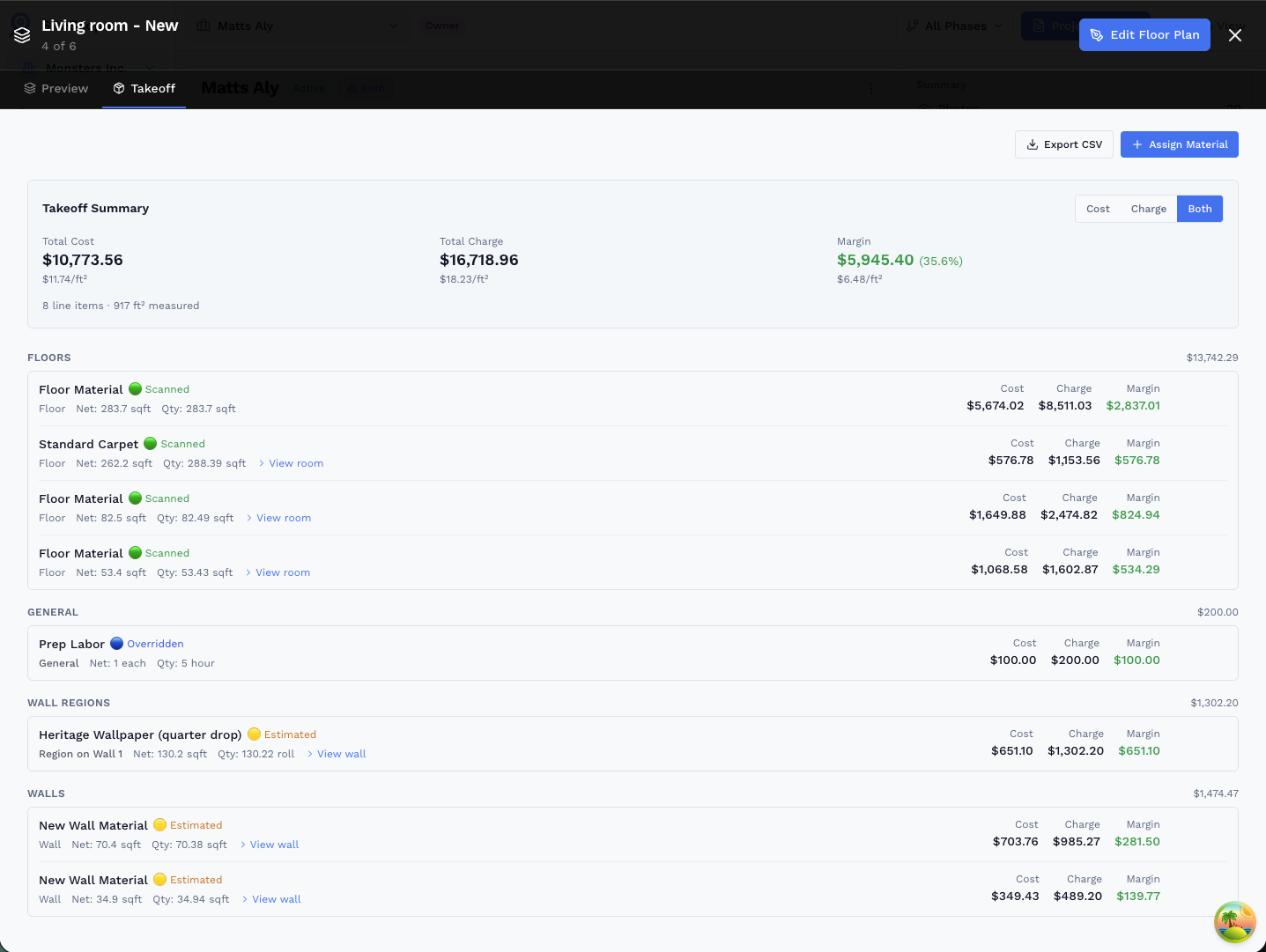
You're already drawing the walls. Now those walls feed a live takeoff, drywall sheets, paint gallons, flooring squares, all computed from the floor plan geometry you've already built.
- Opening-aware wall math: doors and windows are deducted from net wall area automatically
- Wall regions: paint different zones differently, wainscot, accent walls, or tile runs each get their own line item
- Recompute with one click: change a wall dimension, hit recompute, every assignment updates
- CSV export: hand your quantities to your estimating tool or use them directly in a bid
Related Use Cases
See how other professionals use SiteScope
Ready to Get Started?
Join professionals who are already mapping and measuring their sites with SiteScope.