
Measure existing spaces. Design new ones. Present both in 3D.
Scan a room you are renovating or start from a blank canvas with AI. Either way, you get an editable, measured floor plan, a 3D walkthrough your client can explore, and a material spec the contractor can bid from.
Two starting points. Same destination.
Whether you are working in an existing space or designing from scratch, the workflow ends in the same place: a 3D walkthrough and a per-wall material spec.
Scan the room. Get a measured plan.
Walk the room with your iPhone or iPad Pro. LiDAR captures every wall, door, and window with real dimensions. The floor plan auto-generates and is ready to edit immediately.
- LiDAR room scan, auto floor plan
- Real measured dimensions, not estimates
- Edit the scan in the browser after the visit
Describe it or draw it. AI fills in the rest.
Type a description or upload a photo and get a starting floor plan in seconds. Then refine every wall, door, window, and room in the browser editor until it is exactly right.
- AI-generated starting plan from a description or photo
- Or trace from a blueprint or uploaded image
- Full editor: walls, doors, windows, furniture
Challenges this solves
The blank-page problem
Describe the space in plain language and get a starting plan back in seconds. Edit any wall or room from there, no drafting skills required.
Clients who cannot visualize a drawing
Turn the 2D plan into a 3D walkthrough your client can explore on any device. No rendering software. No 15-minute export wait.
Handoff friction with contractors
The same plan that impresses your client produces a per-wall material spec the contractor can bid from. One document, two audiences.
Start with AI. Refine with the editor.
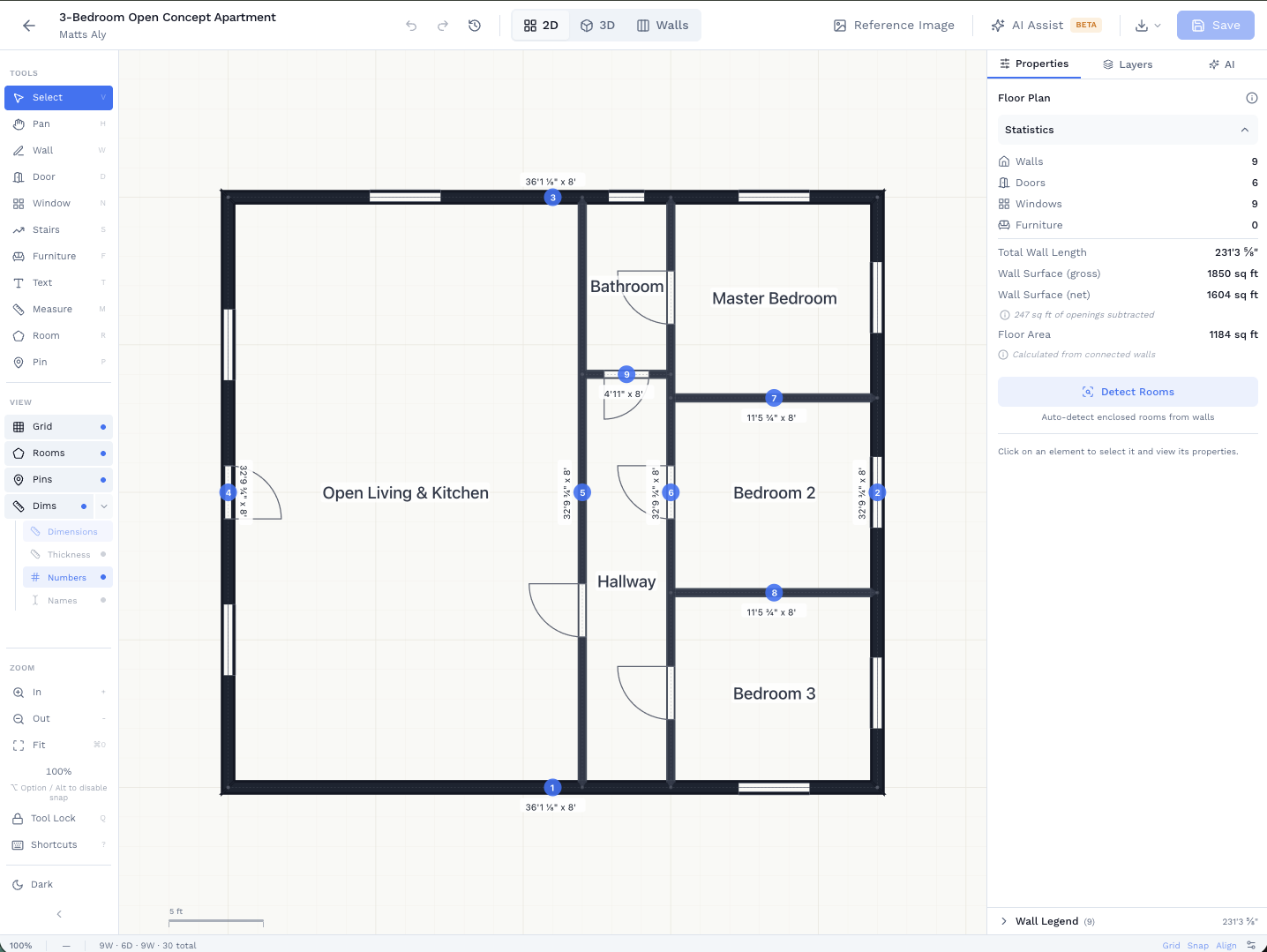
Describe the space or upload a photo and get a full floor plan back as a starting point. Move walls, swap room labels, add doors and windows, and drop in furniture. The AI gives you something to react to. The editor makes it yours.
- Describe in plain language or upload a photo
- Full 2D editor for walls, doors, windows, and furniture
- Or trace directly from a scan, blueprint, or photo overlay
Walk your client through the plan before a single wall goes up.
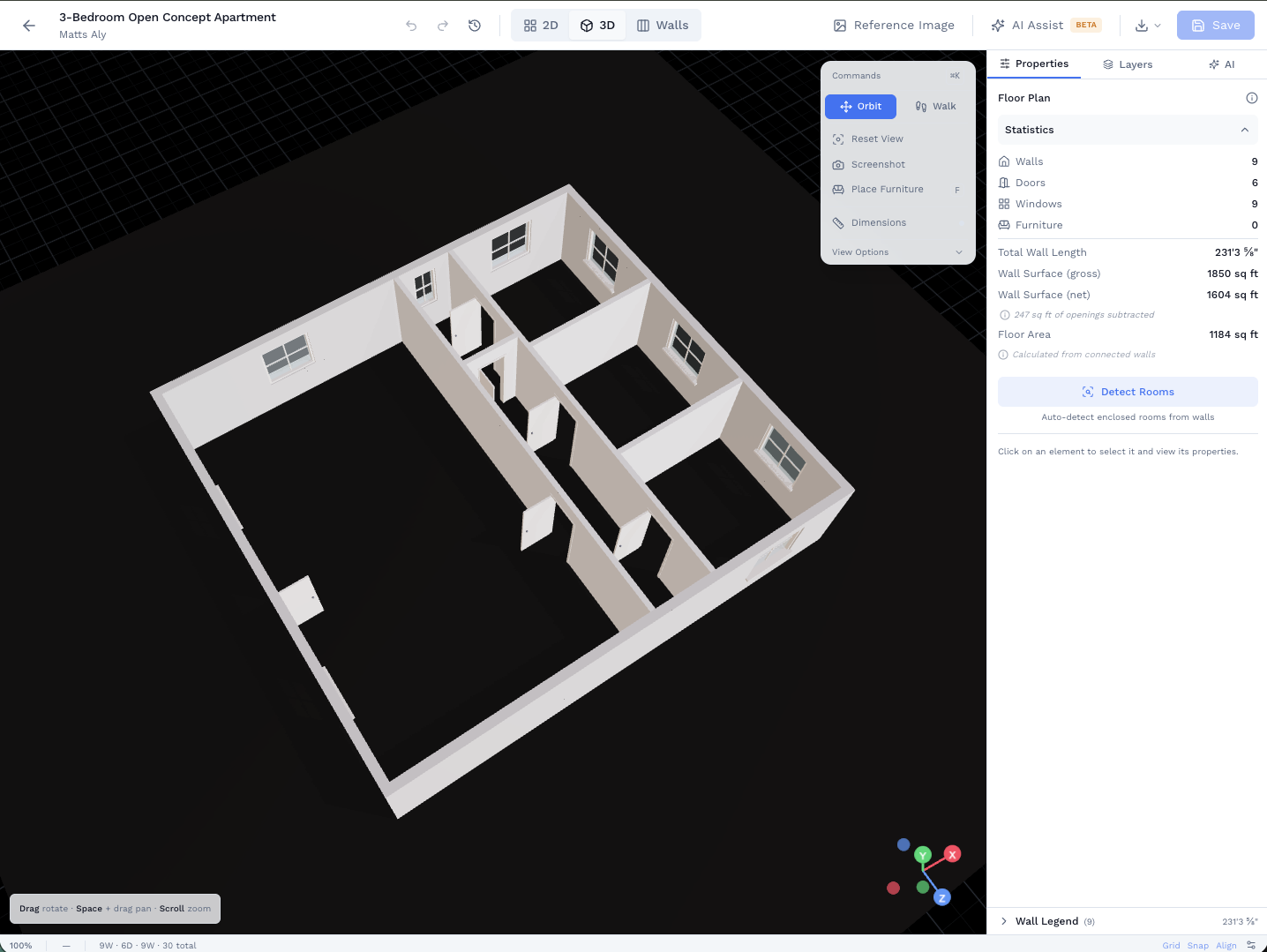
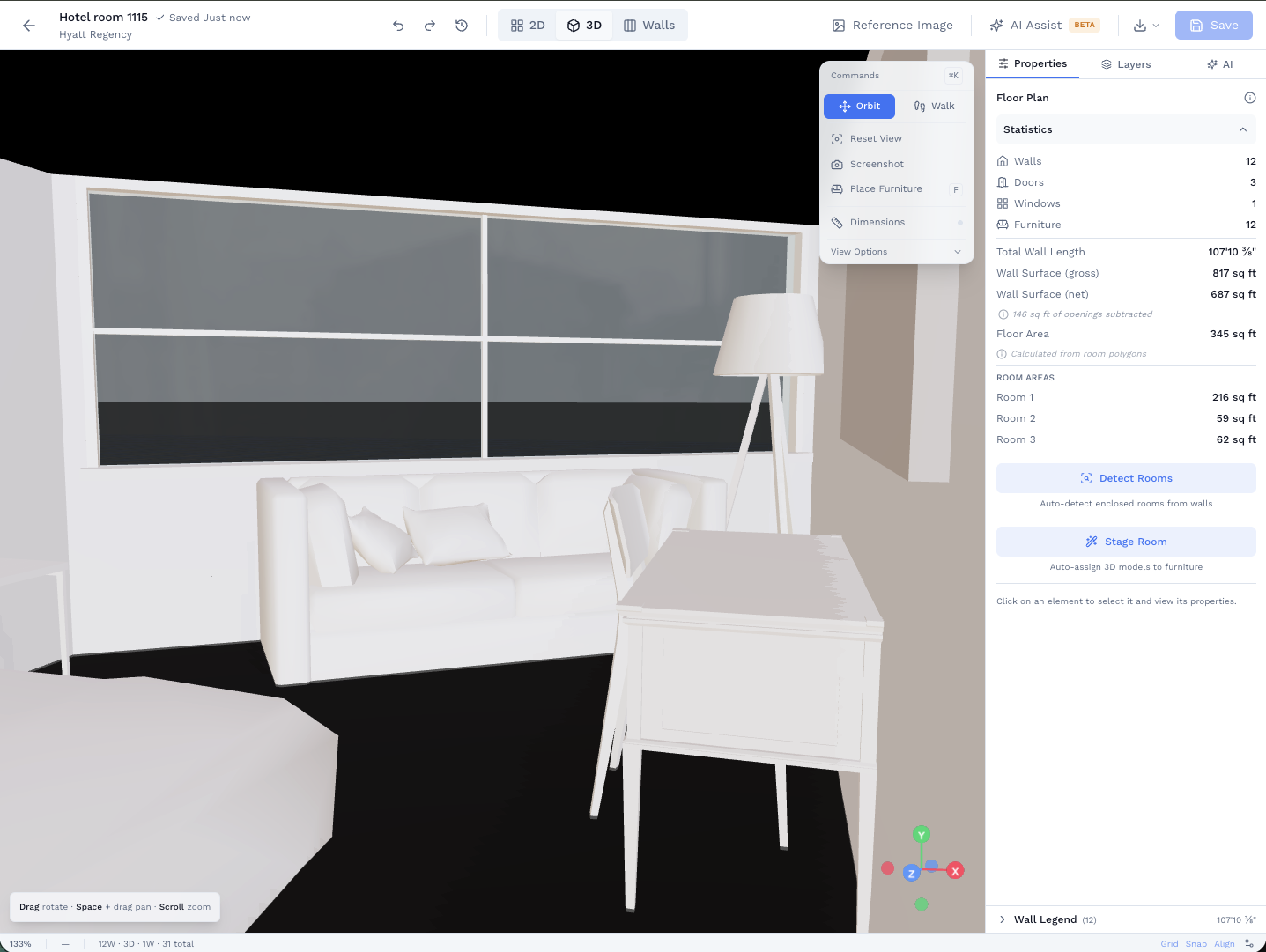
Press one button and your 2D plan becomes a first-person 3D walkthrough. Your client walks through doorways, sees ceiling heights, and understands the space the way a floor plan never lets them. Share a link. No app required on their end.
- First-person walkthrough with door-aware movement
- Place furniture and finishes in 3D to stage the concept
- Share a view-only link. Client needs no account or app.
Everything in one tool
AI floor plan generation
Describe or upload. Get a starting plan in seconds. Edit from there.
Full 2D floor plan editor
Trace, draw, or import. Snap-to-grid, alignment guides, undo history.
3D walkthrough
First-person view of any plan. Your client explores the space without stepping foot in it.
Furniture catalog in 3D
Drag sofas, tables, and fixtures directly into the 3D scene. Scale, rotate, position.
Share links (no account needed)
Send your client a link. They view the plan and 3D in any browser. No download, no login.
DXF and GLB export
Export to AutoCAD or hand off a 3D model for rendering. Plays well with the tools you already use.
When the design is approved, the material spec is already done.
Wall elevations, region assignments, and per-wall quantities flow directly into the takeoff tab. Your contractor gets a bid-ready breakdown from the same plan your client approved.
- Assign finishes per wall or per region: paint, wallcovering, tile, and trim are all supported.
- Pattern-aware wallpaper math: pattern repeat, match type, seam overlap. The rolls are calculated, not guessed.
- Export a CSV or PDF your contractor can take straight to the supplier.
Related use cases
See how other professionals use SiteScope
Ready to Get Started?
Join professionals who are already mapping and measuring their sites with SiteScope.