
From Scan to Floor Plan in Minutes
Spend less time measuring and more time designing. Capture any room in 3D, generate accurate floor plans instantly, and share professional documentation with clients, all from your iPhone.
Challenges We Solve for Interior Designers
Time-Consuming Site Measurements
Stop spending hours with a tape measure. Scan an entire room in minutes and get every dimension you need.
Client Communication Challenges
Help clients visualize changes with shareable floor plans and documentation. No more confusion about spatial relationships.
Furniture & Fixture Planning
Get accurate room dimensions to ensure furniture fits perfectly. Never order the wrong size again.
Features Built for Interior Designers
3D Room Scanning with LiDAR*
Walk through any space and capture precise 3D models. Doors, windows, and built-ins are all measured automatically. Learn more →
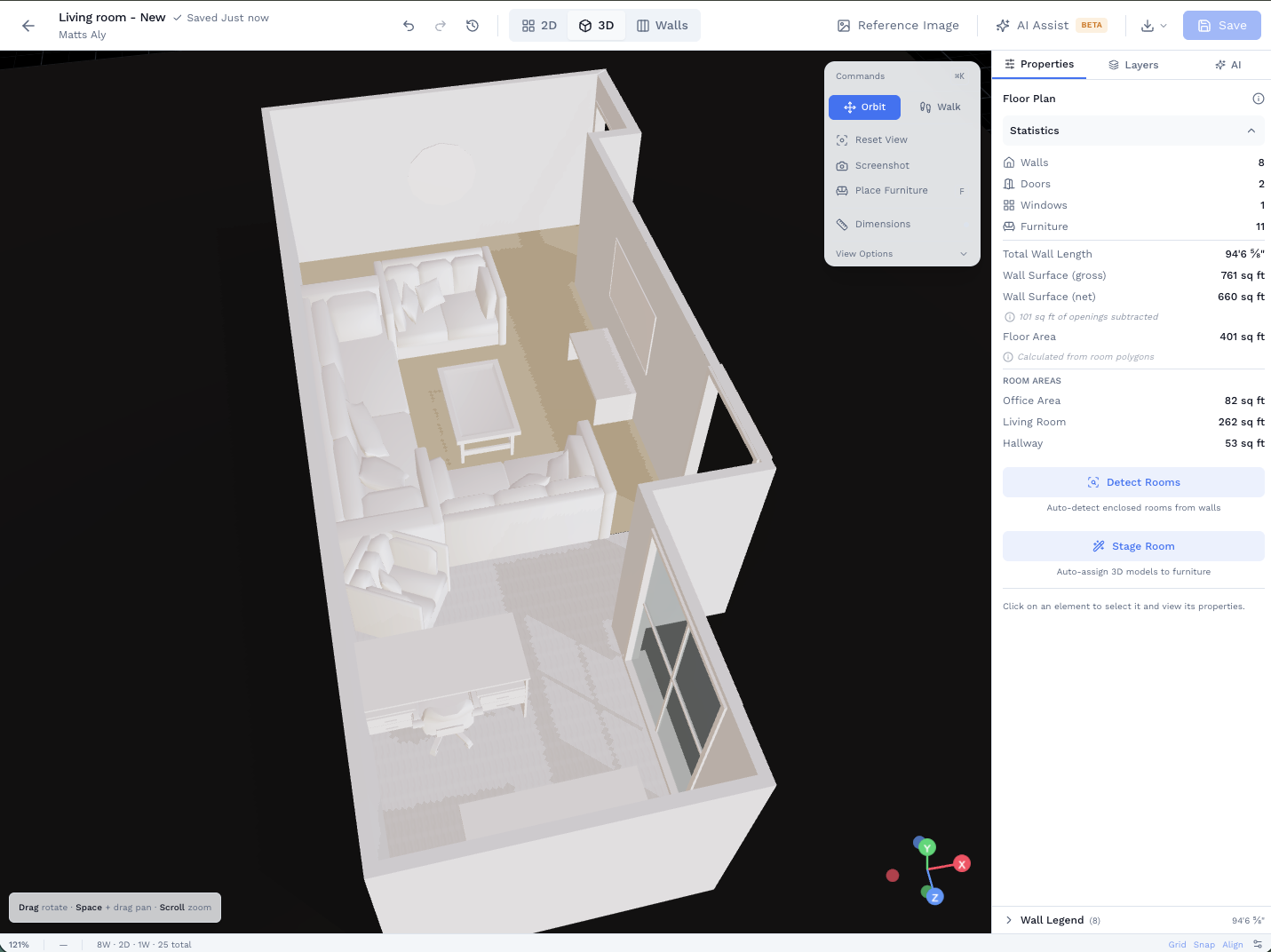
Web Floor Plan Editor
Edit floor plans in the browser. Move walls, add rooms, and use AI-assisted modifications. Start from a scan, AI description, or existing plan. Learn more →
Photo Documentation with Markup
Annotate photos to note existing conditions, material selections, and design ideas. Everything organized by room.
Share Links for Client Collaboration
Create shareable links for clients to view projects. No app download required. Works in any browser.
* 3D room scanning requires iPhone 12 Pro or later, or iPad Pro (2020 or later) with LiDAR sensor
Impress Clients with Professional Documentation
Stand out from other designers with polished, professional deliverables. Share floor plans and project documentation that reflects the quality of your design work.
- Branded PDF reports with your logo
- Interactive share links clients can view anytime
- 3D walkthrough and orbit views for client presentations
- Export to PDF, DXF (AutoCAD), or GLB (3D model)
Give Your Contractor a Quantity Handoff, Not Just a Floor Plan.
Takeoffs turn your design documentation into actionable quantities, so contractors can bid from your drawing, not guess.
- Wall finish quantities by material: specify paint, tile, wallcovering per wall or region; the app computes net area with openings removed.
- Your design intent, their bid input: share a CSV of material quantities alongside your floor plan so contractors have everything they need to price the job.
- Scanned geometry means your quantities are based on real room dimensions, not estimates from memory.
Related Use Cases
See how other professionals use SiteScope
Ready to Get Started?
Join professionals who are already mapping and measuring their sites with SiteScope.