
Wallpaper Calculator
Enter room dimensions, roll size, and pattern repeat. Get exact strip count and rolls needed—with seam overlap and pattern waste applied automatically.
1 Room Dimensions
Enter each wall separately. Strip height uses the tallest wall (conservative). Good for L-shaped or open-plan rooms.
Strips end above baseboard
Strips end below crown
2 Roll Size
American standard: 27 in
American standard: 27 ft
0" for butt seam (standard). Overlap used for commercial vinyls. Difference.
Added on top of pattern math. Covers cut errors, damaged strips, and dye-lot reserve. Pros use 10 to 15 percent.
3 Pattern & Match Type
Each strip must start at the same point in the pattern cycle, so strips are cut longer than the wall height to align seams. Common repeats: 18", 24", 27". Set to 0 for no repeat.
Results
Order all rolls from the same dye lot. The installer buffer above already accounts for cut errors and dye-lot reserve.
These estimates use the same formulas as the SiteScope app. Actual quantities depend on wall conditions, installer technique, and product specifications. Always verify with your supplier before ordering.
Add cutouts, doors, and windows—see exactly where every strip lands.
In SiteScope, assign wallpaper to any wall from a 3D floor plan. The continuous elevation shows every seam, roll boundary, and pattern repeat. Openings are mapped to exact positions so you know which repeats fall behind doors and windows before you order.
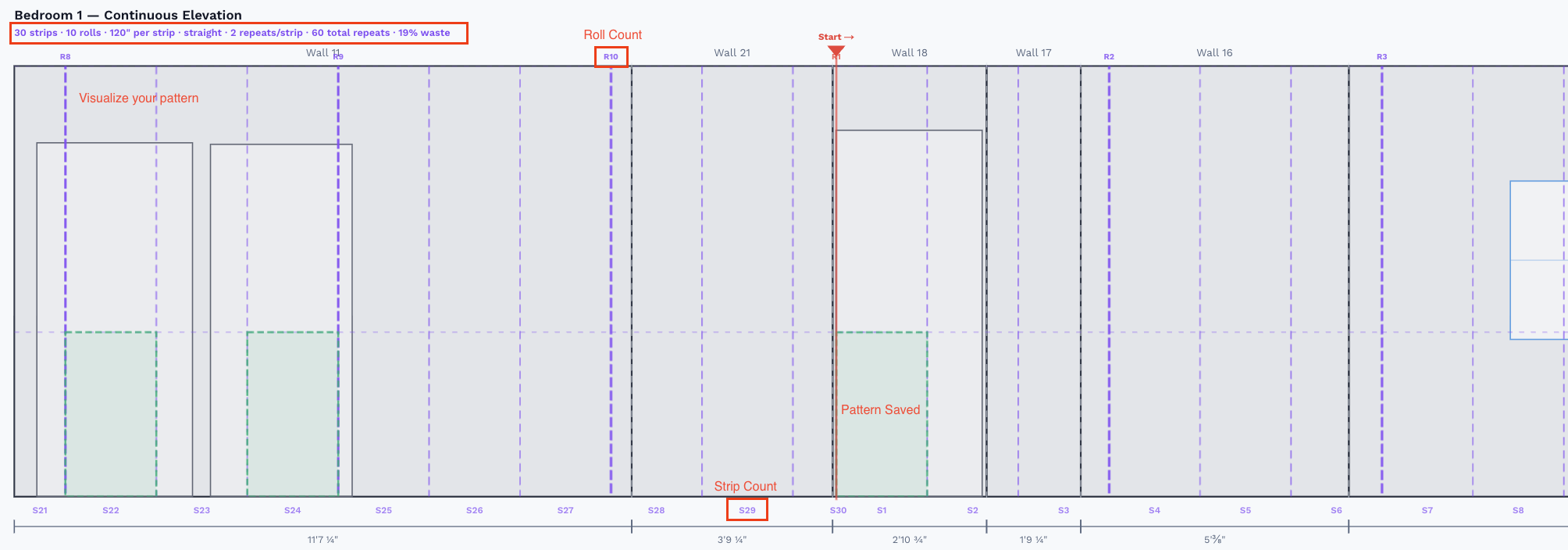
Continuous elevation — strip seams (S1–S30), roll boundaries (R1–R10), and pattern saves highlighted in green where repeats fall behind openings
Custom openings per wall
Add exact door and window positions. Cutout regions excluded from strip placement, not just averaged out.
Pattern save detection
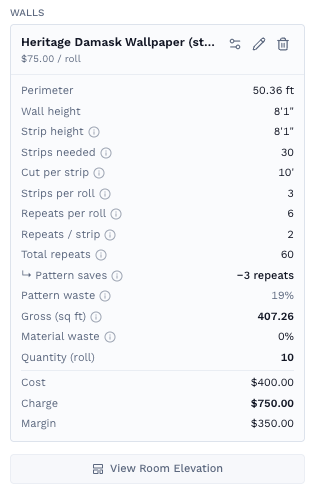
Identifies pattern repeats that fall entirely behind openings — shown in green, counted as potential savings in the assignment card.
Kill point planning
Set the start position and papering direction, then see the seam layout across all walls before hanging a single strip.
Cost, charge, and margin per roll
Enter your cost and charge per roll. SiteScope applies them to every assignment and totals them in the takeoff tab.