
Remodeling estimates that start from a 3D scan of the house
Scan the rooms at the bid visit with an iPhone Pro. SiteScope turns the scan into a measured floor plan, so you can price the finishes room by room and send the quote without a second trip to re-measure.
Free includes 3D scanning, floor plans, and estimating with up to 10 materials. Quote PDFs are on Pro.
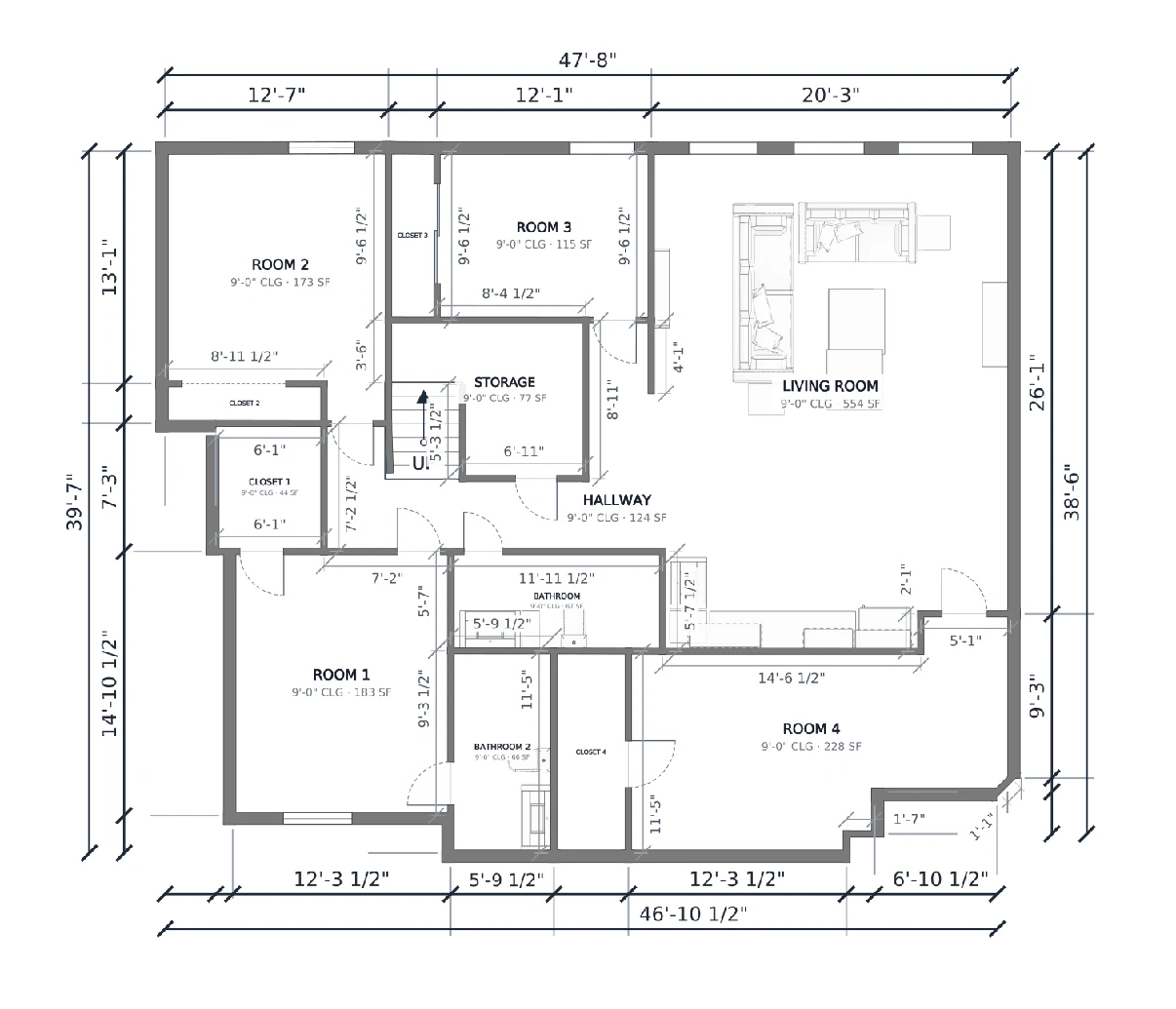
From the bid visit to the quote
One project holds the scan, the plan, the estimate, and the quote.
-
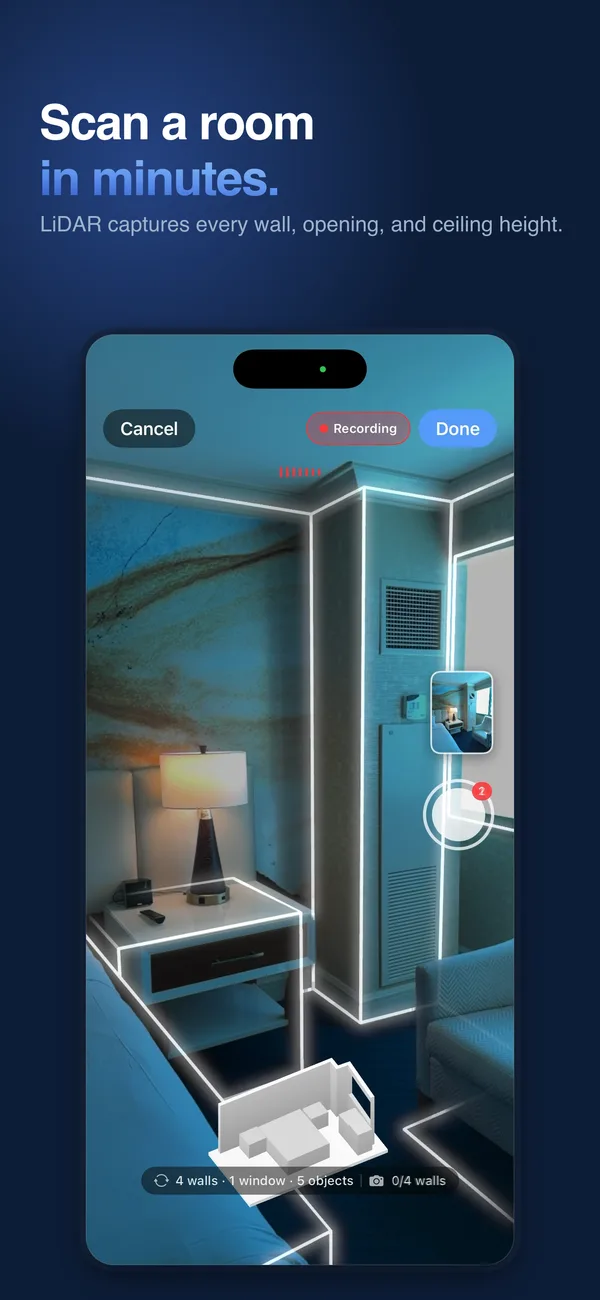 01 · SCAN
Walk the job once
Open 3D Scan on an iPhone Pro or iPad Pro and walk a room, or the whole floor, at the bid visit. Snap photos of the conditions as you go.
-
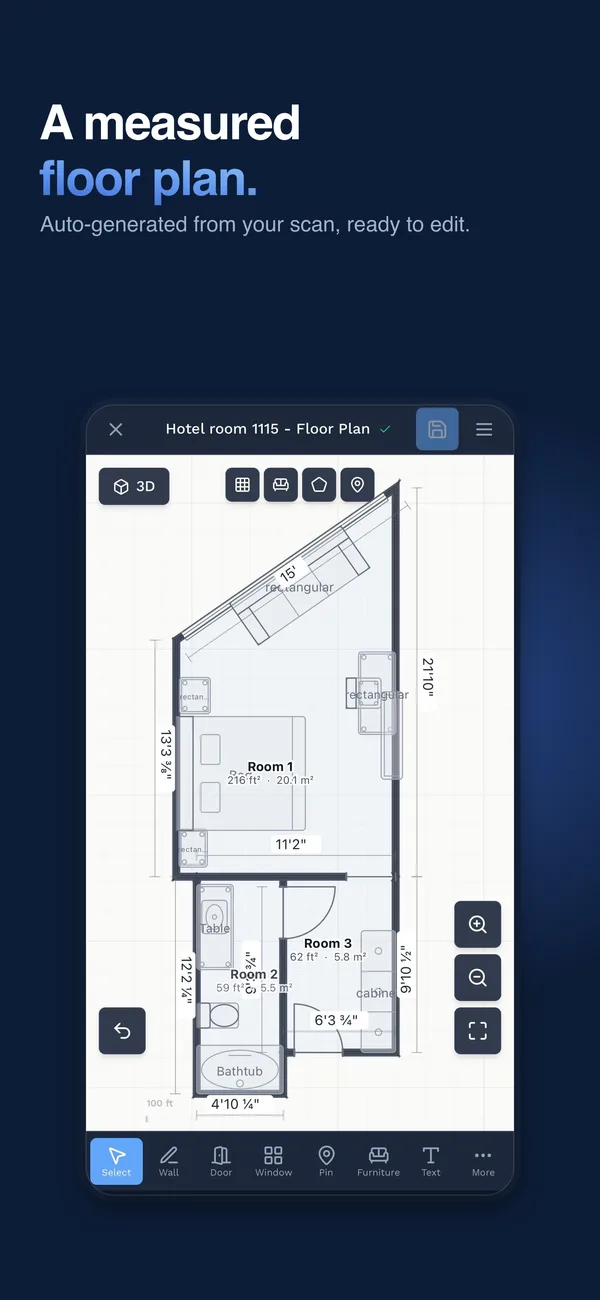 02 · PLAN
Get the measured floor plan
The scan becomes a floor plan with every room, its area, wall lengths, doors, and windows. Fix anything that looks off in the plan editor.
-
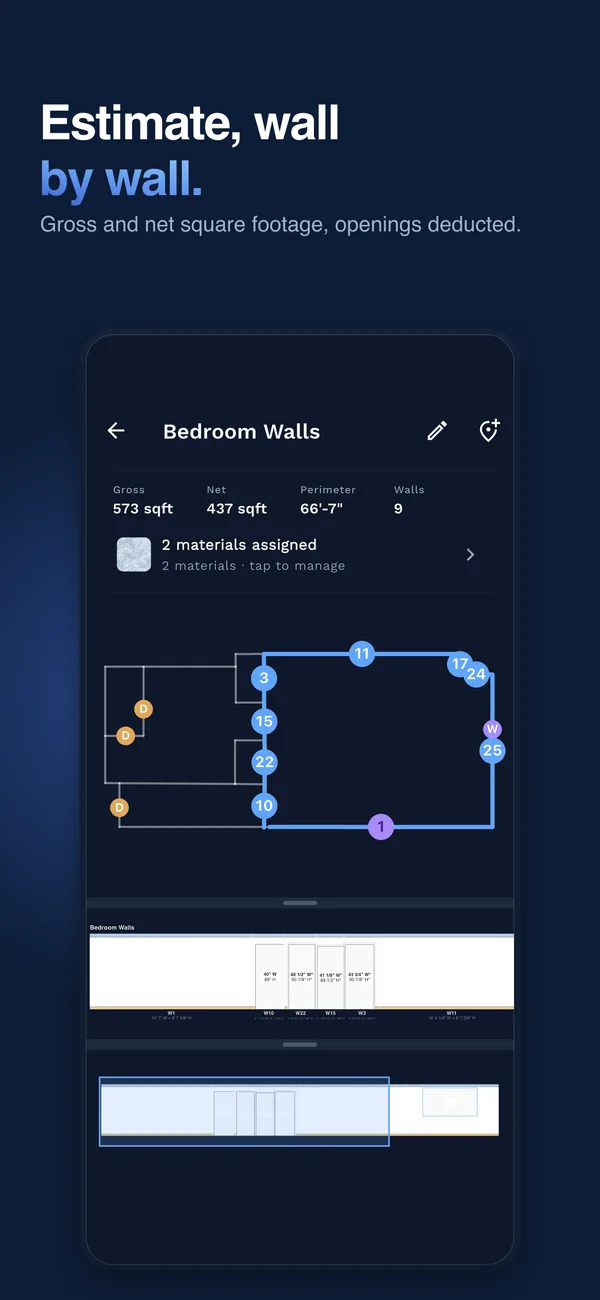 03 · ESTIMATE
Price the finishes room by room
Add flooring, paint, tile, wallcoverings, and baseboard to each room from your own price list. Doors and windows come off the wall area.
- 04 · QUOTE
Send the quote
Build a quote from the estimate, add your own lines for the work the plan does not measure, then download the PDF with your branding and send it to your client.
Scanning needs an iPhone 12 Pro or newer, or an iPad Pro (2020 or newer), on iOS 17 or later. How 3D scanning works.
The numbers a remodel bid needs
Everything below comes from the scan and lives on the plan, so you are not reading measurements off a notepad back at the office.
Room areas
Square footage for every room on the plan, so a flooring or paint number starts from the real space.
Gross and net wall area
Each wall’s area before and after doors and windows come out, wall by wall and room by room.
Perimeters
Room perimeters for baseboard and trim, with door openings taken out.
Doors and windows
Openings placed on the plan with their sizes, so you can count and price them.
Ceiling heights
Each room’s ceiling height, which drives wall areas, paint, and wallcovering quantities.
Photos where you took them
Site photos and notes stay in the project, next to the plan, for the next person on the job.
Price the finish work, then add the rest
On the Estimate page, pick a room and add materials to its walls, floor, ceiling, and baseboards. Each one turns into gallons, rolls, boxes, square yards, or linear feet, priced from your own cost and sell price.
A materials list rolls the job up by product and exports to CSV. When the numbers look right, build the quote. Add your own lines and sections for demo, framing, plumbing, electrical, or anything the plan does not measure.
Price one room or the whole house. A one-bathroom job is a finished estimate.
Flooring
Carpet by the square yard, LVP and laminate by the box
Painting
Net wall area, coats, and primer
Tile
Pattern waste and boxes for the job
Wallpaper
Rolls for the whole room, pattern repeat and match
Wall Coverings
Commercial wall covering takeoffs
Baseboard
Linear feet or pieces, openings taken out
Everyone on the job sees the same space
One scan feeds the homeowner conversation, the sub’s number, and the designer’s drawings.
Homeowners and decision makers
Share a photoreal 3D walkthrough of the scanned space by link. It opens in any browser with nothing to install, and comes with 3D scans on every plan.
About the walkthrough →Subs and suppliers
Send a PDF report of the plan with room areas, or export the materials list to CSV for an order or a sub’s number.
Floor plan reports →Architects and designers
Hand over IFC for Revit and ArchiCAD, DXF for AutoCAD, or an E57, LAZ, or PLY point cloud. Exports are on Pro.
Scan to CAD and exports →What to expect from a phone scan
- You still verify what is critical. Check cabinet runs, rough openings, and anything a fabricator cuts to with a tape before you order.
- One scan, one floor. Walk a single room or a whole floor in one scan. For a two-story house, scan each floor on its own.
- You own the edits. The plan comes from your scan, and you adjust it yourself in the editor. SiteScope is not a drafting service.
- Interior finishes only. Estimating covers interior finish materials. Structural, mechanical, and exterior scopes go on the quote as your own lines.
Guides and Next Steps
How to measure a room with an iPhone
Scan technique, devices, and what to check with a tape.
Floor plan app for contractors
What the scan gives you and what is on the plan.
3D room scanning
How capture works on an iPhone Pro or iPad Pro.
Estimating
The room-by-room Estimate across trades.
From floor plan to material estimate
The path from measured plan to priced quantities.
Plans
Free to start. Quote PDFs and exports are on Pro.
Remodeling Estimate FAQ
How does SiteScope help with a remodeling estimate?
Which parts of a remodel does it price?
Do I still need a tape measure?
What device do I need?
Can my client see the space before they sign?
What does it cost?
Ready to Get Started?
Scan your first room free, no credit card. Capture runs on an iPhone or iPad Pro, and everything else works in your browser.

On your computer?
Point your iPhone camera here to get the free app from the App Store. Scanning needs an iPhone or iPad Pro.